To share an advanced find view that you created with another user in Dynamics 365, go through the following steps.
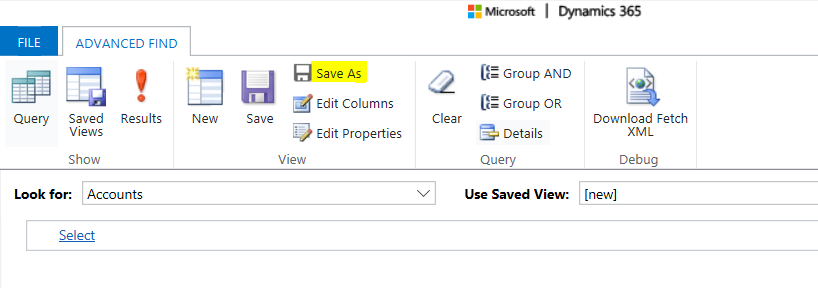
First, create a new Advanced Find view. Click Save As:
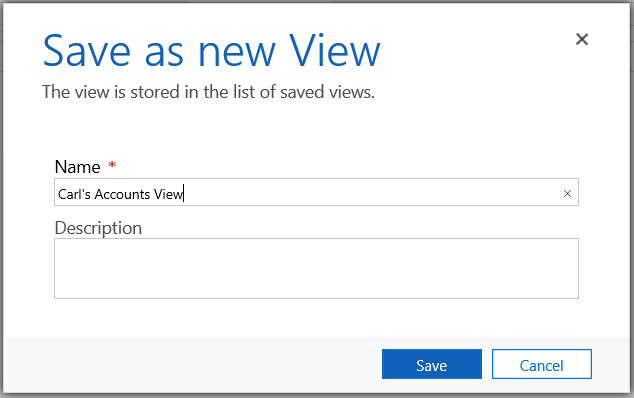
Provide a view name:
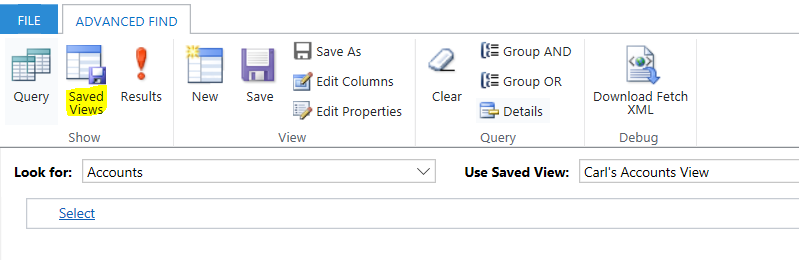
Now select Saved Views:
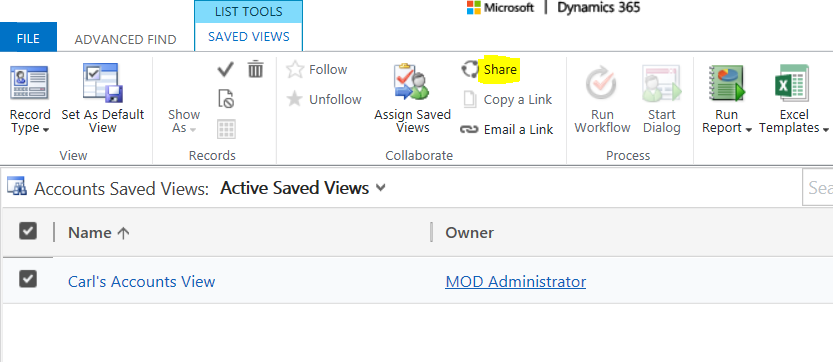
Select the view and click Share:
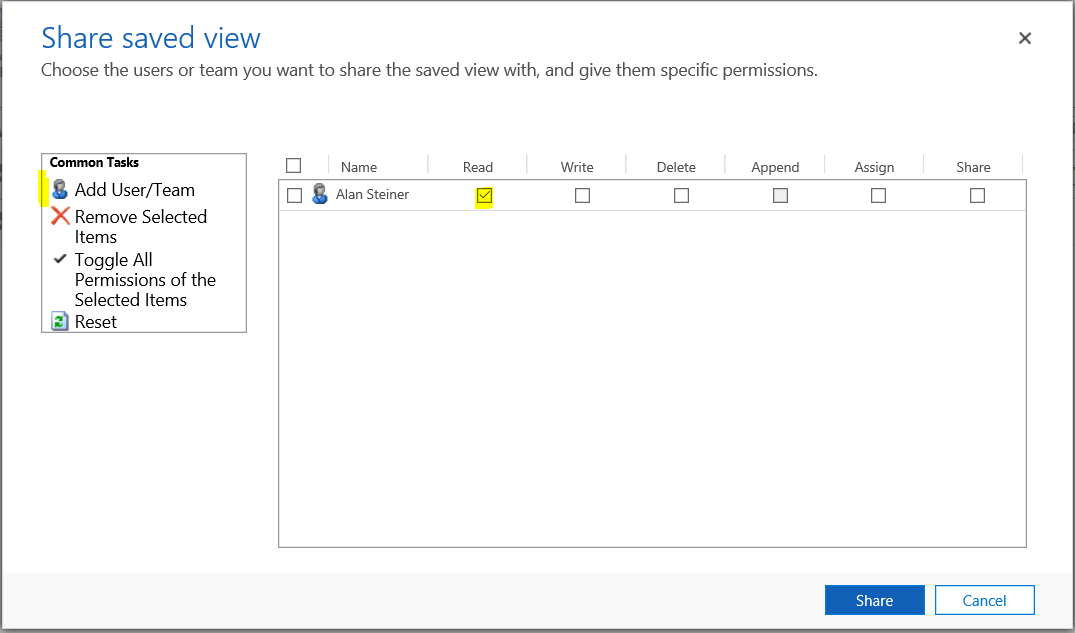
Select a user or team and the permissions to share and click Share.:
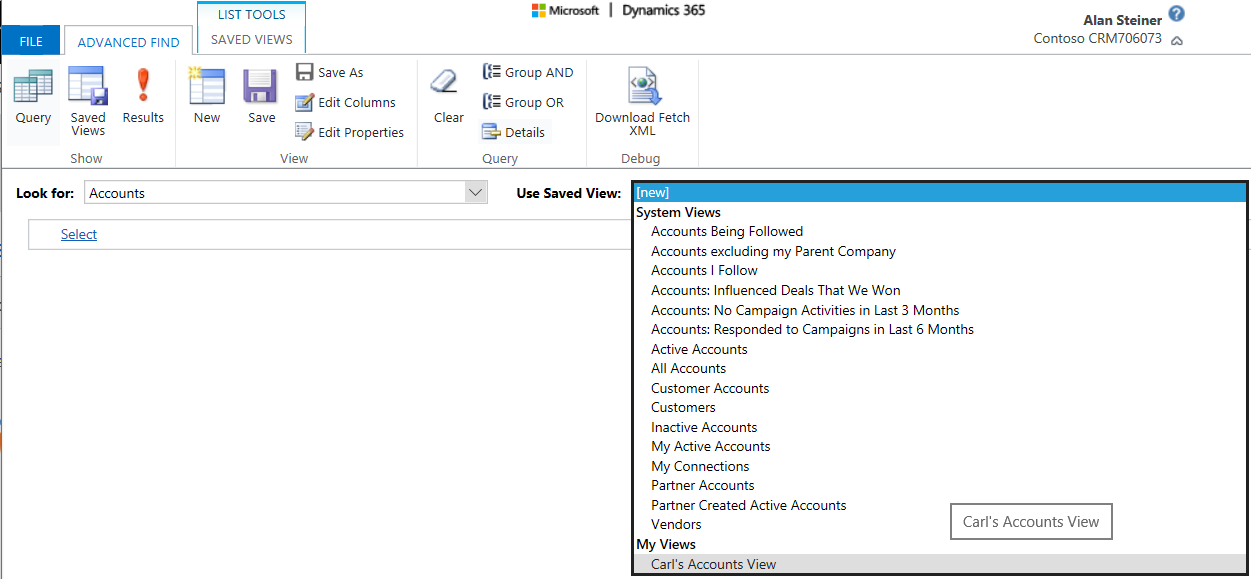
Now when Alan logs in, he will see the saved view:

Keep learning. Keep building.
Explore AI, agents & Microsoft technology.
I share practical ideas, tutorials, and videos about AI, AI agents, Microsoft technologies, and the Power Platform.
Subscribe on YouTube →Carl de Souza Enterprise Architect at Microsoft · AI Technology Expert
