In Unified Service Desk, in the CRM Global Manager hosted control there is a way to check if a hosted control is loaded. The action is called IsAppLoaded.
Let’s go through an example of using it.
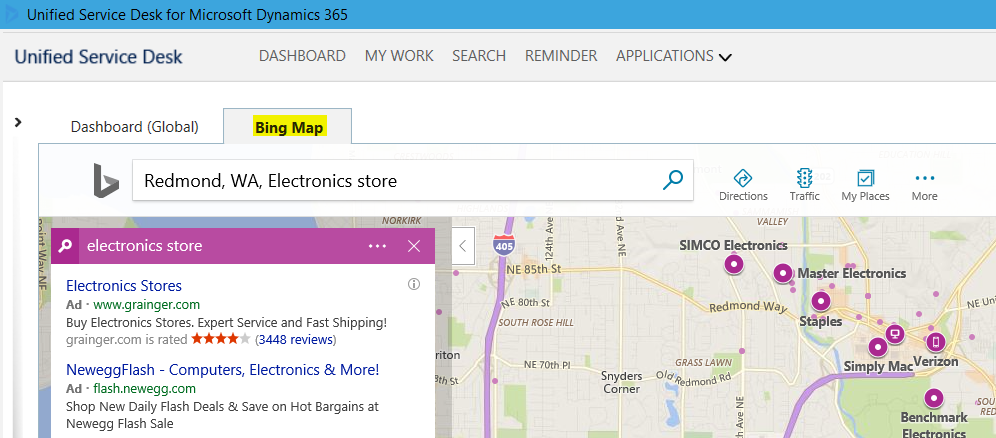
In my USD instance, I have a hosted control called “Bing Map” that displays maps:
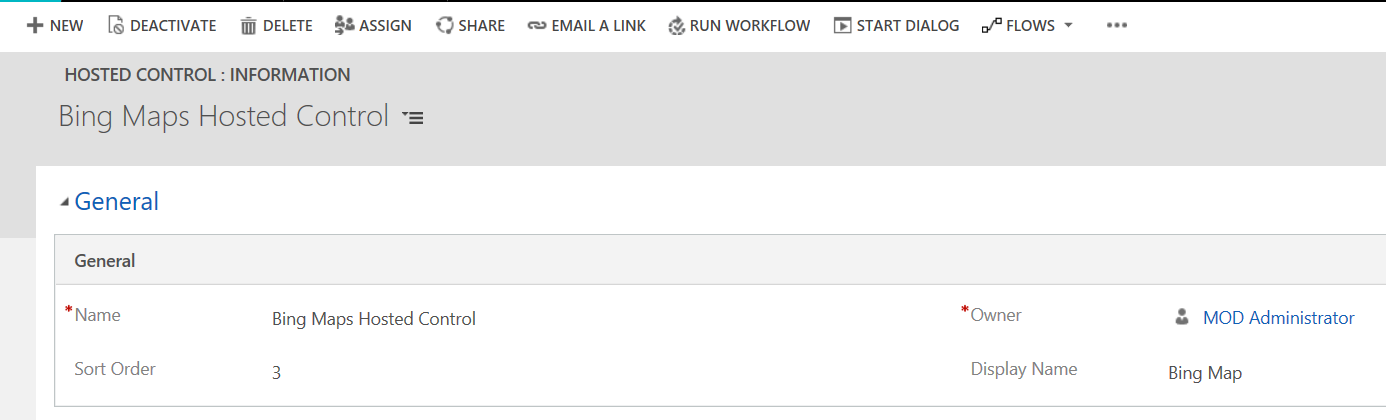
With the name Bing Maps Hosted Control:
Let’s check if this is loaded.
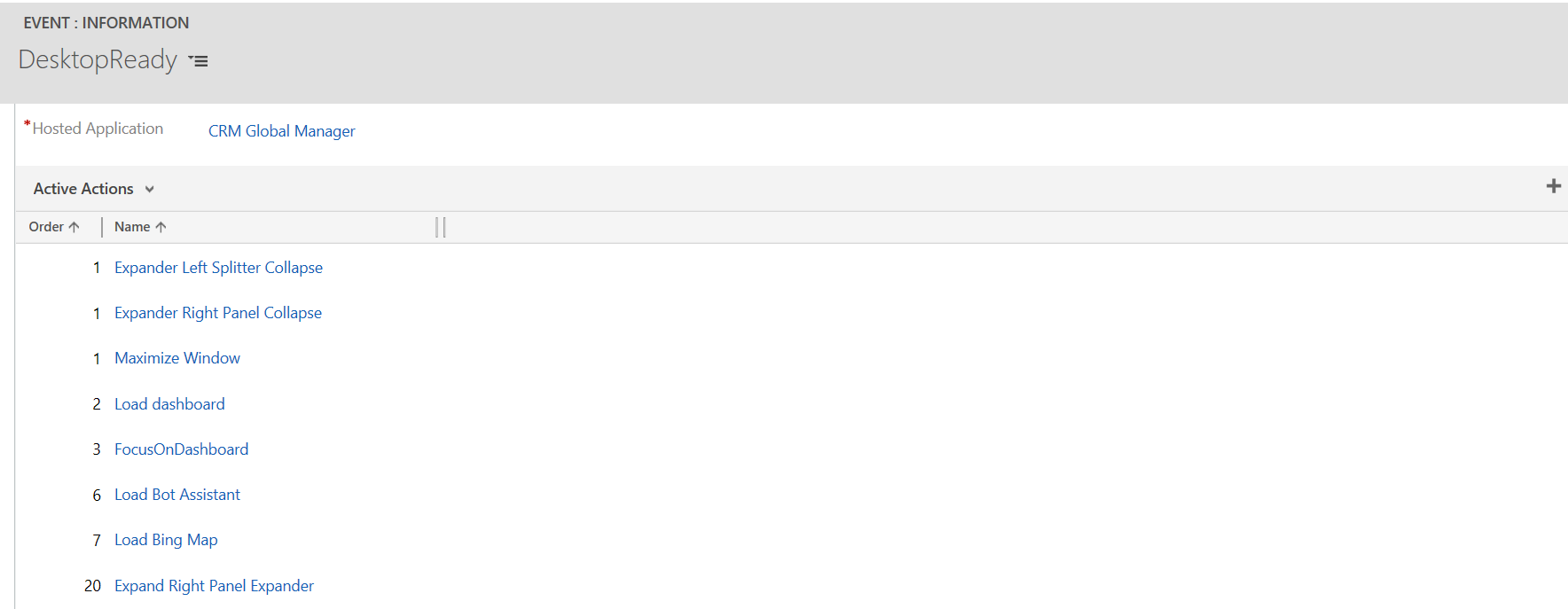
We will add a couple of action calls to our DesktopReady event that runs when USD loads, one before the control has loaded and one after it has loaded. You can see below the control loads at step 7:
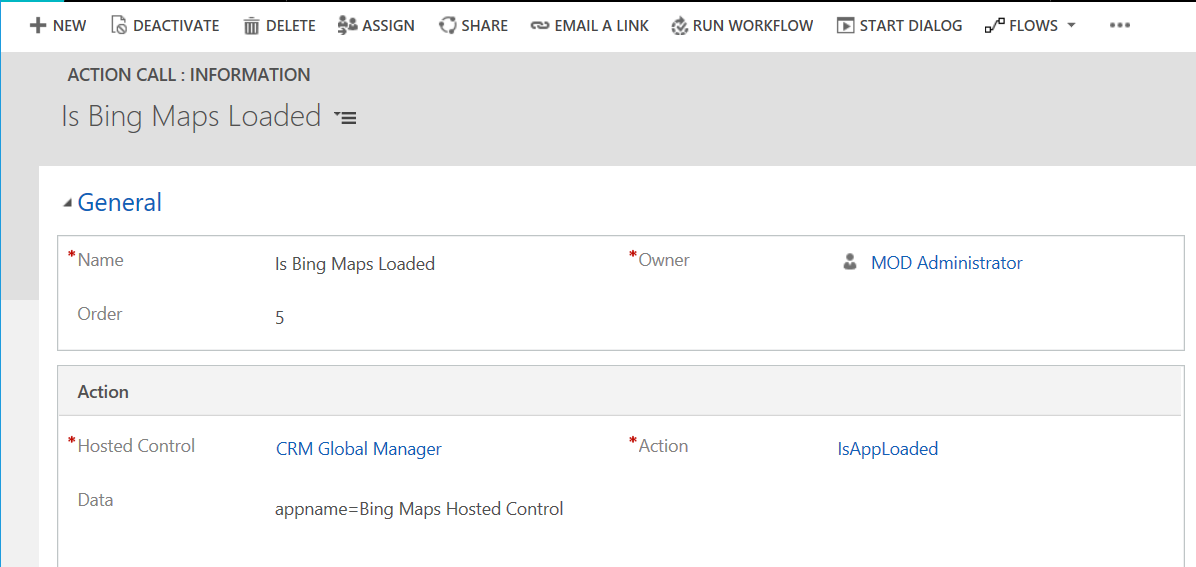
Create a new action, enter appname=Bing Map Hosted Control:
Now create an action at step 6 to display a message if the app is loaded:
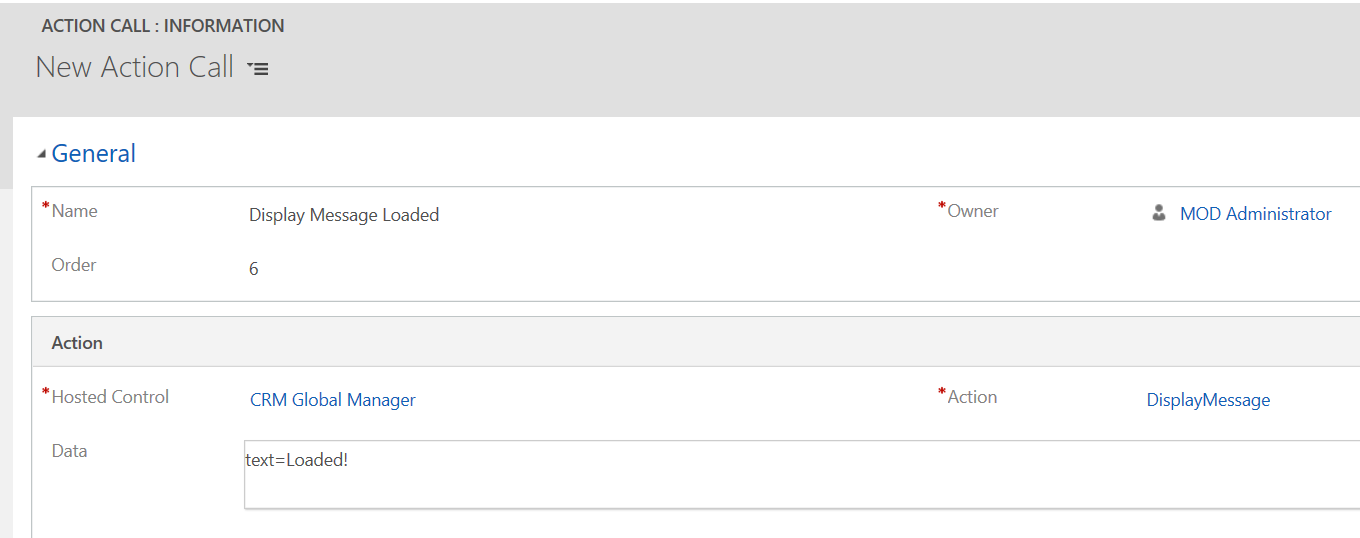
The key here is we will add a condition using $Return to check if our action returned true or false:
“[[$Return.Is Bing Maps Loaded]+]” == “True”

As the hosted control is not loaded, we do not expect this message to show.
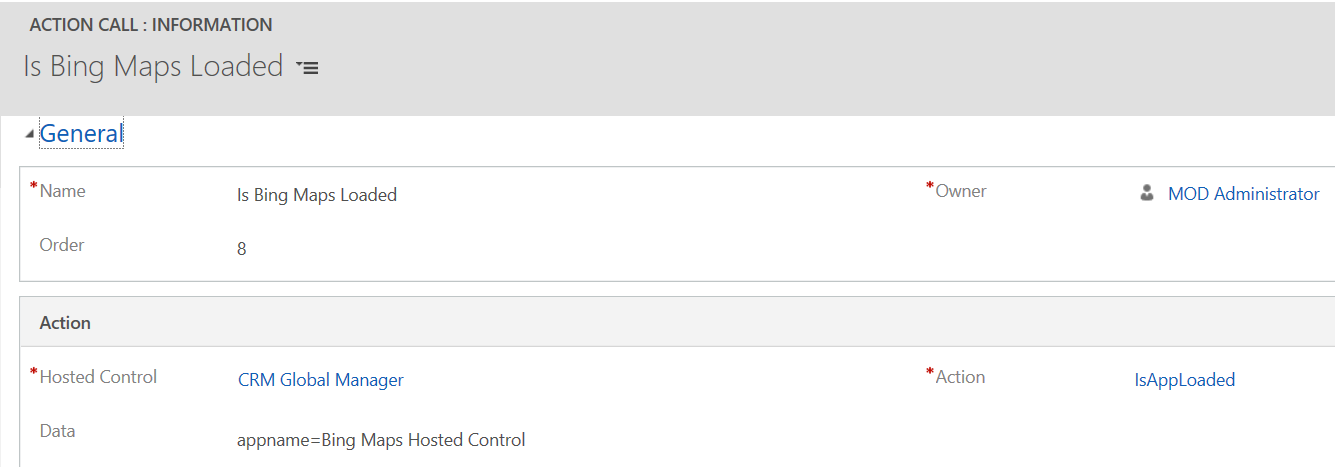
Now after the control is loaded at step 7, we will add an action to check Is Bing Maps Loaded again at step 8:
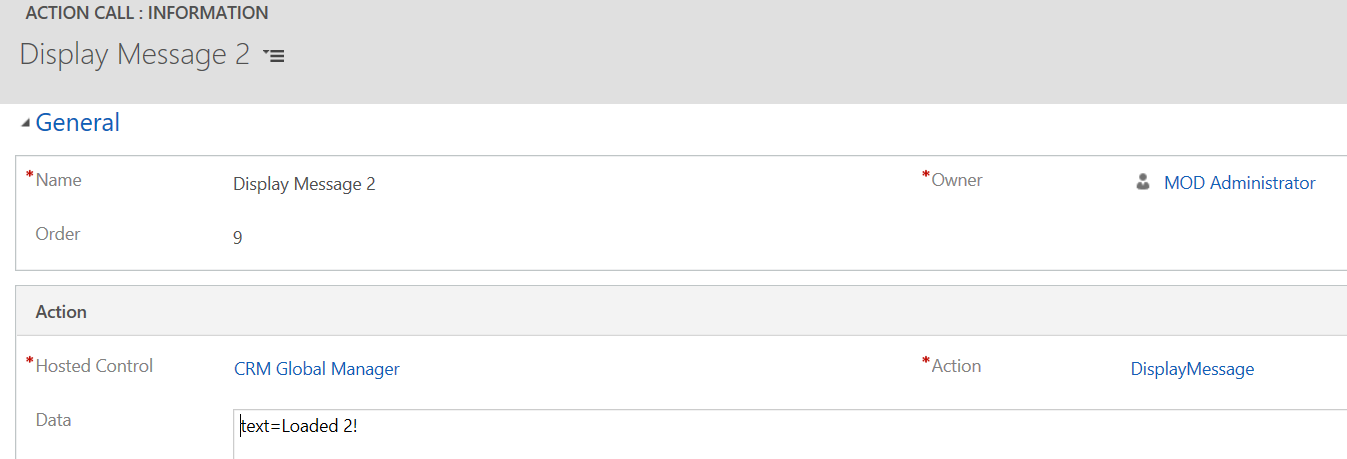
And display a message at step 9, testing for the same $Return value:
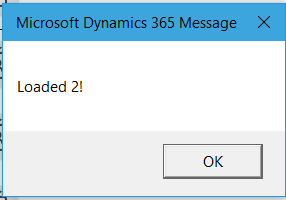
Start USD. You will see:
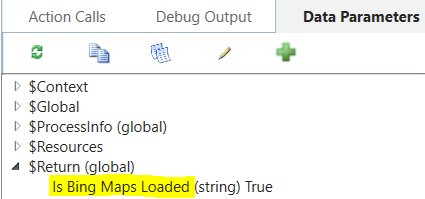
On opening the debugger, we can see the $Return parameter is set:

Explore AI, agents & Microsoft technology.
I share practical ideas, tutorials, and videos about AI, AI agents, Microsoft technologies, and the Power Platform.
Subscribe on YouTube →