First, create a new console app:
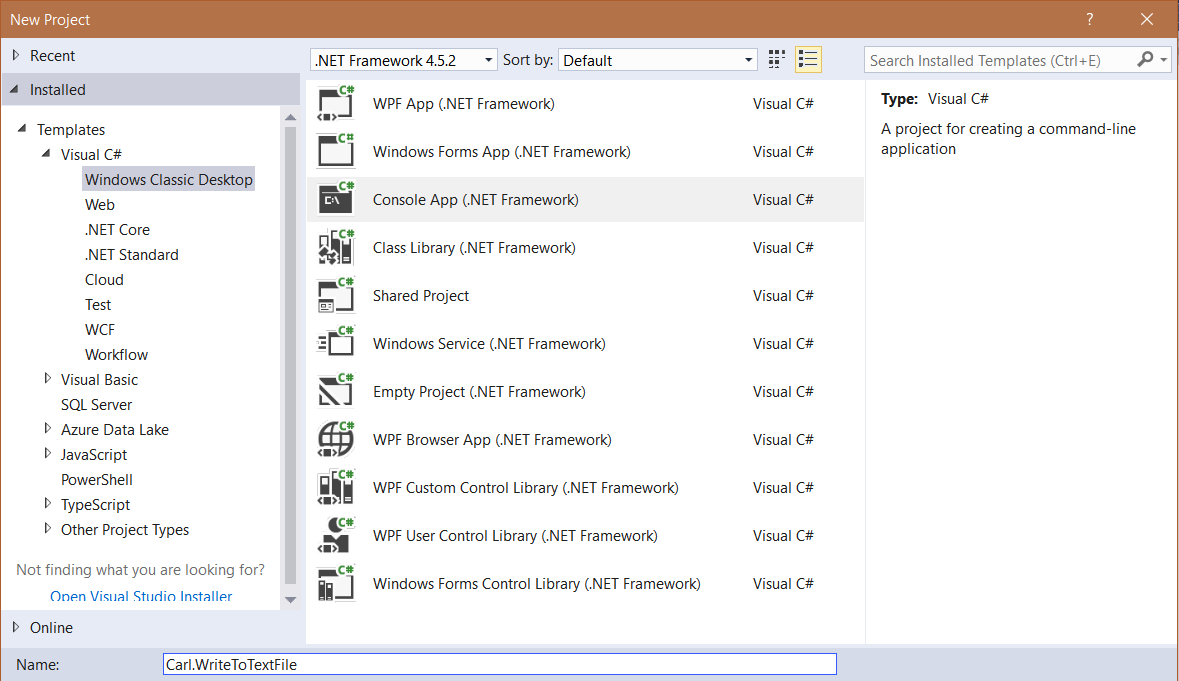
Next, add:
using System.IO;
Now add code:
using (StreamWriter writer = new StreamWriter("filename.txt"))
{
 writer.Write("1");
 writer.WriteLine("2");
 writer.WriteLine("3");
 writer.Write("4");
}
Now go to the directory you ran the code from. You will see the filename.txt file created:
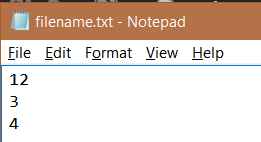
This code can also be written as:
 StreamWriter writer = new StreamWriter("filename.txt");
 writer.Write("1");
 writer.WriteLine("2");
 writer.WriteLine("3");
 writer.Write("4");
 writer.Flush();
 writer.Close();

Keep learning. Keep building.
Explore AI, agents & Microsoft technology.
I share practical ideas, tutorials, and videos about AI, AI agents, Microsoft technologies, and the Power Platform.
Subscribe on YouTube →Carl de Souza Enterprise Architect at Microsoft · AI Technology Expert
