In this post, we will look at how to send an invite to a user in GitHub and how the user can accept the invite to a repository.
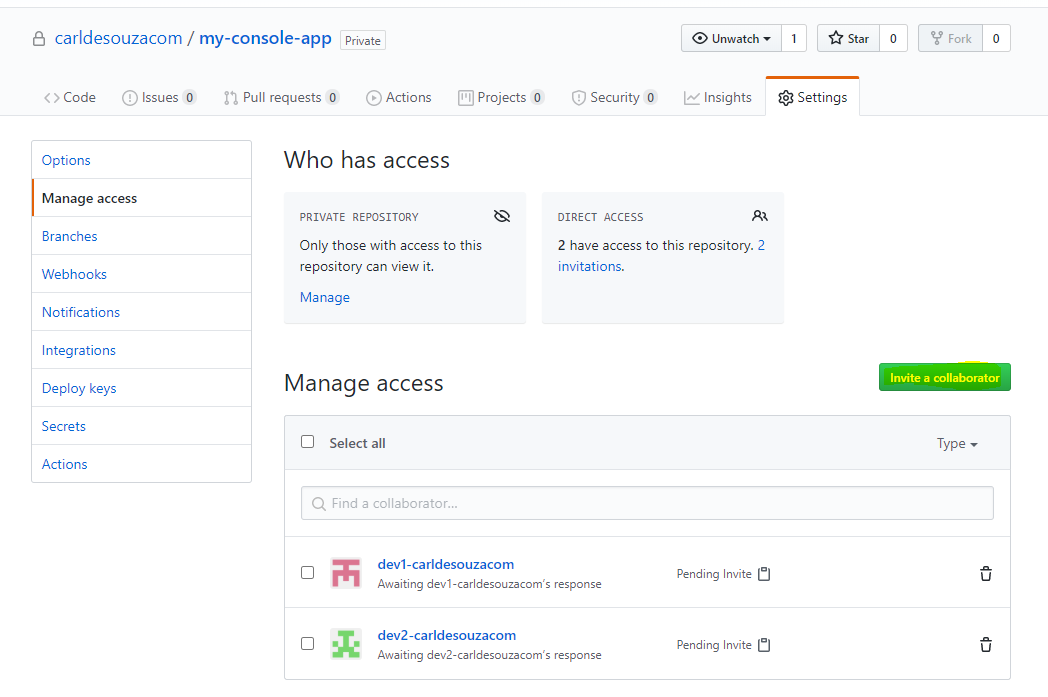
First, go to the repo and go to Settings->Manage Access, then Invite a Collaborator:
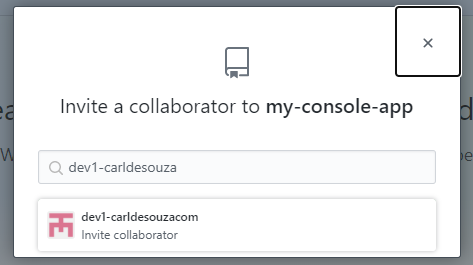
Enter the collaborator’s GitHub name:
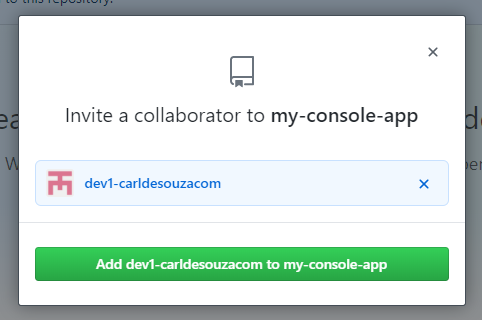
And click Add:
Now copy the link and send it to the user:

E.g. https://github.com/carldesouzacom/my-console-app/invitations
When the user clicks on the link, they will see the invitation to accept:
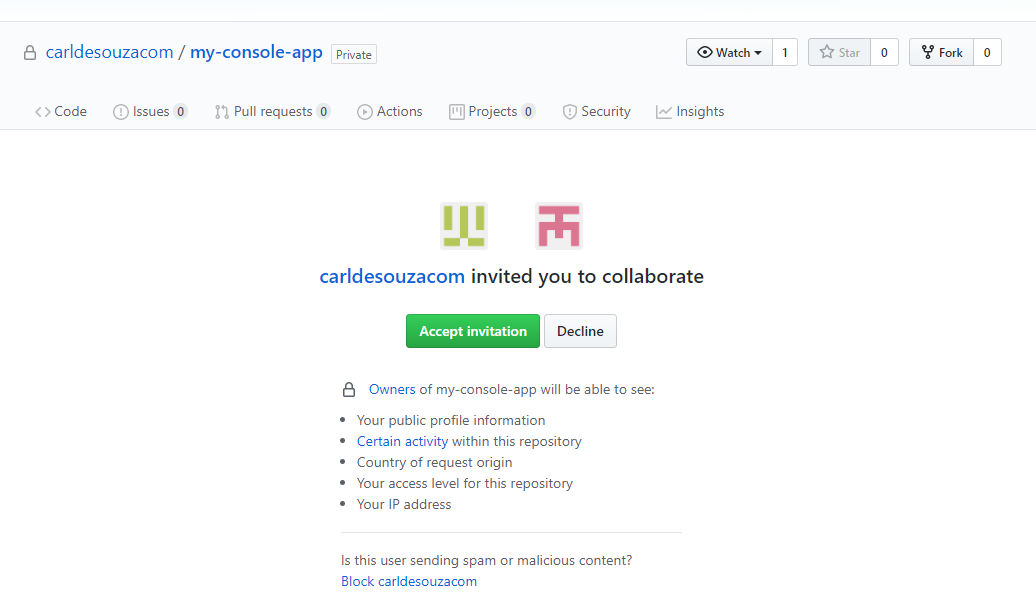
Once accepted, they now see the repository:


Keep learning. Keep building.
Explore AI, agents & Microsoft technology.
I share practical ideas, tutorials, and videos about AI, AI agents, Microsoft technologies, and the Power Platform.
Subscribe on YouTube →Carl de Souza Enterprise Architect at Microsoft · AI Technology Expert
