HTTP Explained

HTTP stands for Hypertext Transfer Protocol, a stateless application- level protocol for distributed, collaborative, hypertext information systems. It was initiated by Tim Berners-Lee in 1989 at the European Organization for Nuclear Research (CERN). You can check out the specs for HTTP on the W3C website. The idea is that hypertext is text that contains hyperlinks to other nodes containing text, i.e. websites and web pages, with HTTP being the protocol … Continue reading HTTP Explained

Dynamics GP Reset System Password

To reset the Dynamics GP system password to blank, run the following query in SQL Server Management Studio: UPDATE DYNAMICS..SY02400 SET DMYPWDID=1,PASSWORD = 0x00202020202020202020202020202020

Publish ASP.NET Site to Azure

To publish an ASP.NET Visual Studio solution to Azure, select the solution in Visual Studio and select Publish:   Enter a name, select resource group, service plan and click Create: Once complete, you will see the deployment address: You can now browse to the Azure website: And the site will appear in Azure portal for management:  

Installing a Dynamics CRM 2013 Update

To install a Dynamics CRM 2013 update, you will need to go through the following steps. I will be demonstrating on a Dynamics CRM 2013 On Premise installation. Take a snapshot of your CRM environment. You will want to test the installation first on a DEV environment and make sure your customizations are working as expected after the update has been installed. Go to the Dynamics CRM 2013 updates page, located … Continue reading Installing a Dynamics CRM 2013 Update

Dynamics GP Dexterity User Security Tables

The following are useful Dynamics GP tables regarding security: SY09000 – sySecurityMSTRTask – Security Tasks Master SY10600 – Security Assignment Role Task – sySecurityAssignTaskRole SY09100 – Security Roles Master – sySecurityMSTRRole SY10500 – Security Assignment User Role – sySecurityAssignUserRole SY01500 – Company Master – SY_Company_MSTR  

My Interview with Brooklyn Independent TV – Sector B – LooseCubes

LooseCubes was one of the pioneers in the coworking movement, connecting companies that had spare desks with people who needed a workspace. The startup unfortunately shut down in 2012, but it led a vision which other coworking companies has kept going. Check out my interview Brooklyn Independent Television’s business show, Sector B, as a LooseCubes user and fan of the then relatively new concept of coworking: Video:  

Creating an OData Service for a SQL Server Database

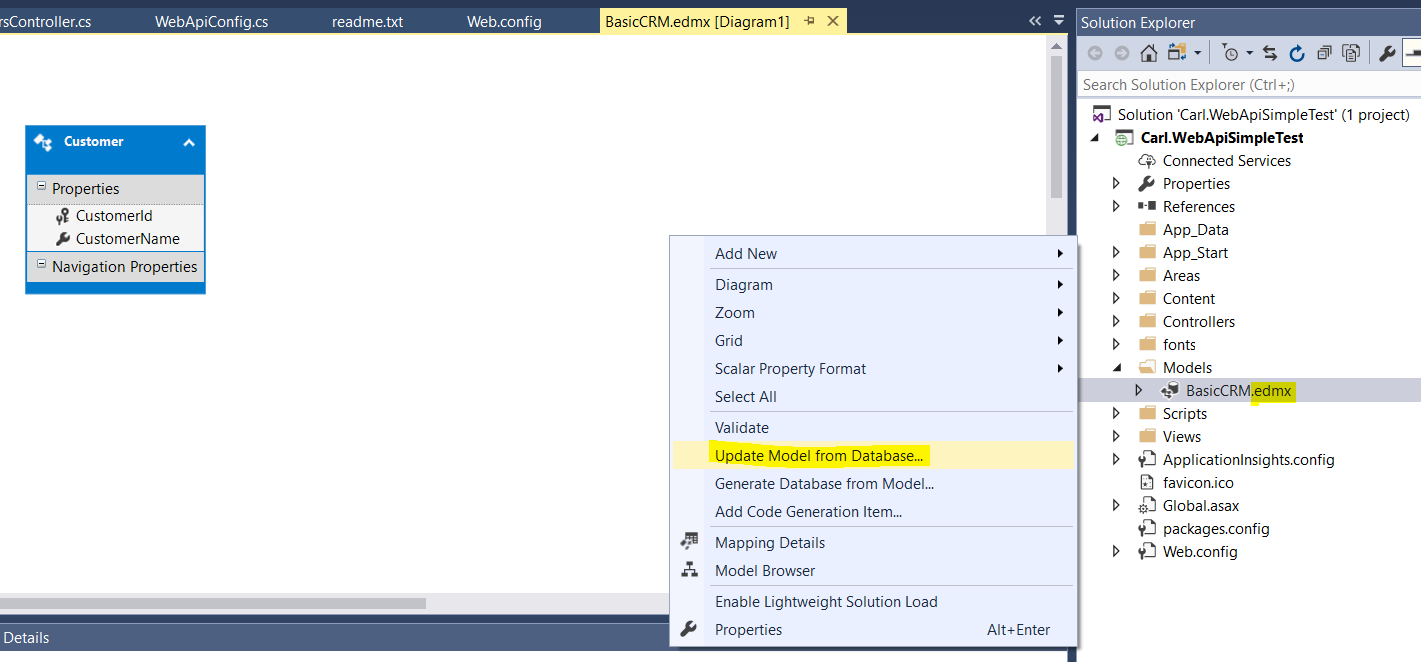
To create an OData service for a SQL Server database, we will create a new Visual Studio ASP.NET web application: Select Empty template and check Web API: This will create: Now, add the OData NuGet packages: Add Entity Framework: Next, add a new item: Select EF Designer from database: Select the database connection, click new connection if required, and click Next. We will connect to an Azure SQL database with … Continue reading Creating an OData Service for a SQL Server Database

Creating an Azure SQL Server Database

To create an Azure SQL Database, go to portal.azure.com and select New->Databases->SQL Database: Enter a name and select the source. You can select: Blank database Sample (AdventureWorksLT) Backup We will select Sample (AdventureWorksLT): Select to create a new server: Enter the server name and enter a login name and credentials: Click to select the type of SQL Server. Select the DTUs: Click Apply and Create. Once the server has been … Continue reading Creating an Azure SQL Server Database

JavaScript – Calling Functions

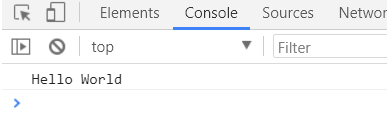
Let’s go through an example of different ways to call a function in JavaScript. Let’s say we have a function that prints Hello World to the console. We can call this as: function HelloWorld() { console.log(“Hello World”); } HelloWorld(); This function can also be assigned an anonymous variable and called as below: var i = function() { console.log(“Hello World”); } i(); Or also run immediately as: var i = function() … Continue reading JavaScript – Calling Functions

JavaScript – Use Strict

“use strict” is a feature of JavaScript that tells the compiler to use a strict context. For example, consider the code below. This code produces no errors, and displays “1” in the console: [sourcecode language=”JavaScript”] "use strict"; try { var i = 1; console.log(i); } catch(e) { console.error(e); } [/sourcecode] However, let’s say we didn’t include “var” before our variable. In normal JavaScript without using “use strict”, this would be … Continue reading JavaScript – Use Strict