Home › Power Apps / Custom Pages / Dataverse / Power Fx › Updating PowerApps CLI to the latest version
Power Apps / Custom Pages / Dataverse / Power Fx · Aug 3, 2019 · 1 MIN READ

Updating PowerApps CLI to the latest version

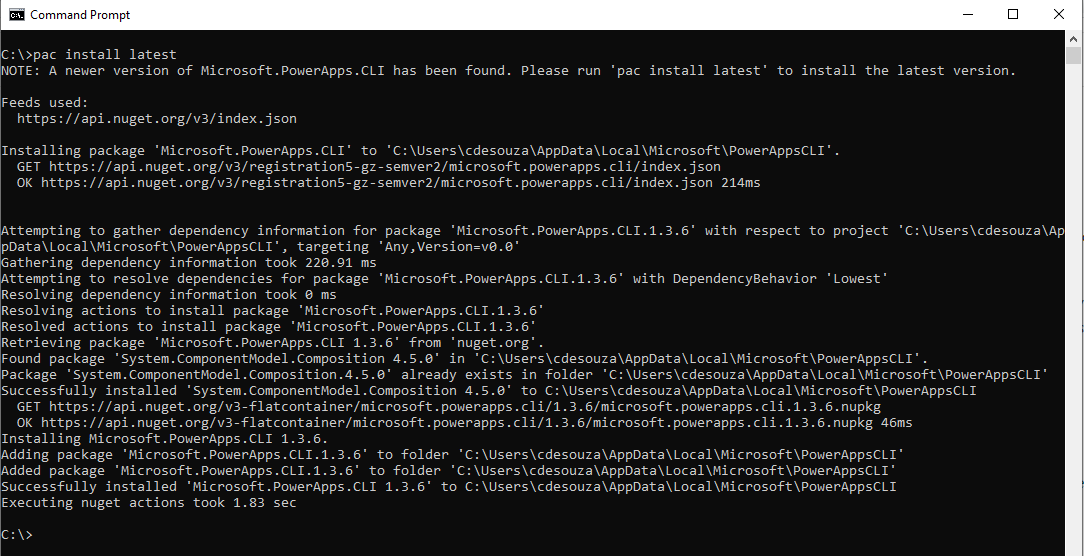
To update PowerApps CLI to the latest version, open a command prompt and type in:

pac install latest
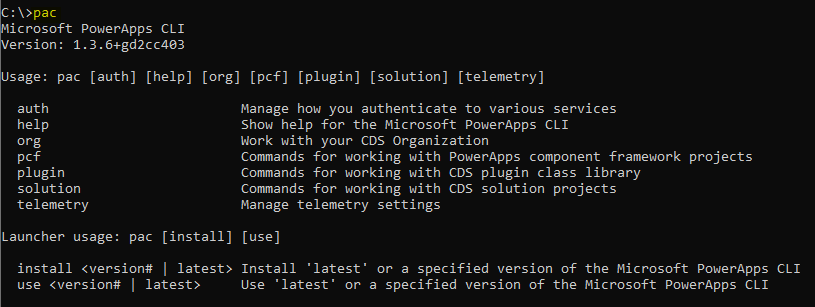
Now type pac to see the version installed:
 

Carl de Souza
Keep learning. Keep building.

Explore AI, agents & Microsoft technology.

I share practical ideas, tutorials, and videos about AI, AI agents, Microsoft technologies, and the Power Platform.

Subscribe on YouTube →
Carl de Souza Enterprise Architect at Microsoft · AI Technology Expert

Leave a Reply

Your email address will not be published. Required fields are marked *

Carl de Souza
KEEP LEARNING. KEEP BUILDING.

Explore AI, agents & Microsoft technology.

I share practical ideas, tutorials, and videos about AI, AI agents, Microsoft technologies, and the Power Platform.
