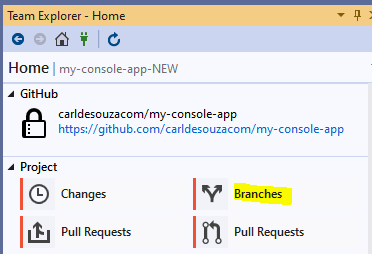
To delete a Git branch from Visual Studio, go to Branches:
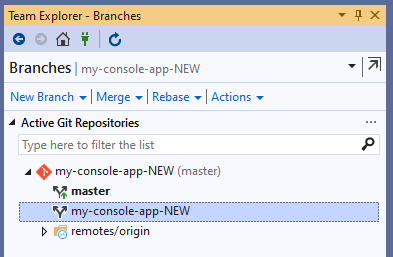
Ensure the branch you want to delete is not currently opened as your working branch, i.e. not bold:
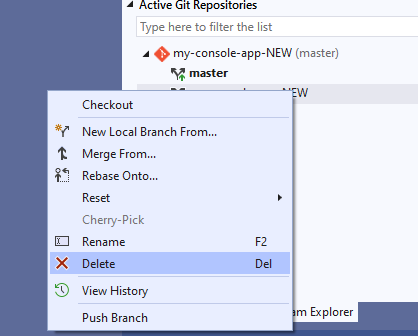
Right-click it and select Delete:
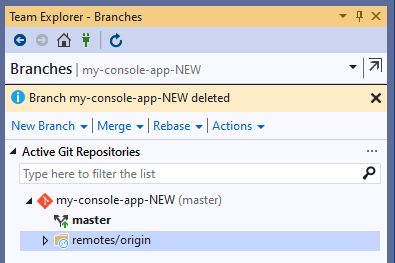
The branch is now deleted:

Keep learning. Keep building.
Explore AI, agents & Microsoft technology.
I share practical ideas, tutorials, and videos about AI, AI agents, Microsoft technologies, and the Power Platform.
Subscribe on YouTube →Carl de Souza Enterprise Architect at Microsoft · AI Technology Expert

Thank you for the article