I had an issue recently where the data in my dataset was not making it’s way to the Power BI Desktop report. Basically, there were some records I was looking to see on the report but they weren’t there. I looked at the report filters and could not see anything that would restrict the records. I had added a new column to the dataset, which appeared successfully on the report, but the data just wasn’t refreshing. In fact, Power BI did not try to automatically refresh the data after I had added the field, and when I tried to refresh it myself from the desktop, I would get a timeout error.
After much head scratching, I went to Tools->Options and Settings:
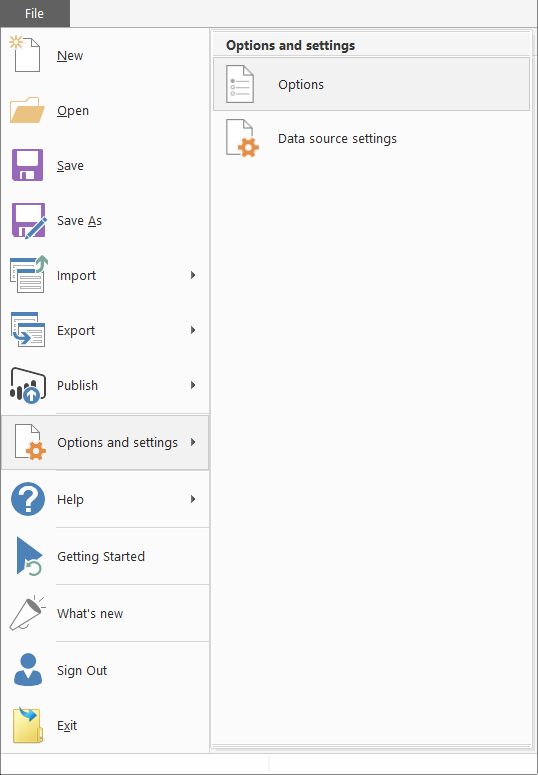
Under Data Load, I selected Clear Cache:
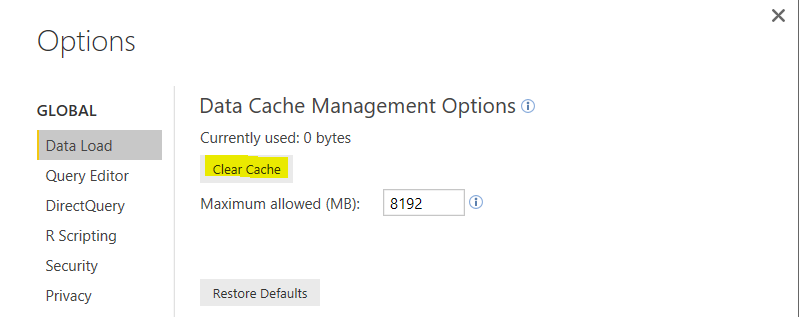
After doing this, I was able to refresh the dataset from the report.

Explore AI, agents & Microsoft technology.
I share practical ideas, tutorials, and videos about AI, AI agents, Microsoft technologies, and the Power Platform.
Subscribe on YouTube →