UPDATE: If you’re using Unified Interface Apps, check out this updated post: https://carldesouza.com/overriding-the-retrievemultiple-integration-pattern-updated-for-unified-client-interface/
There are different ways to integrate data with Dynamics 365. In this post, we will look at overriding the RetrieveMultiple through a plugin so we can display data from a 3rd party system on a form in Dynamics 365.
Let’s say for our accounts, we would like to link to a retail sales database to pull in products our accounts have ordered. Instead of using the out of the box sales entities, we will create a new entity called Retail Sales:
We will add the fields:
- Product
- Amount
Now, let’s create a N:1 relationship between the Retail Sales and the Account:
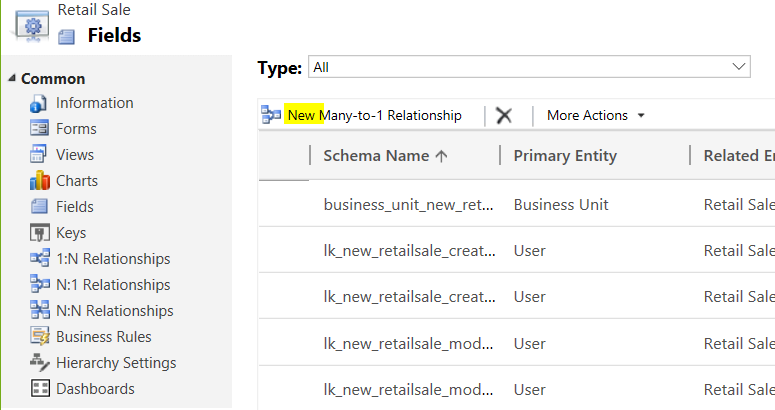
Add the relationship:
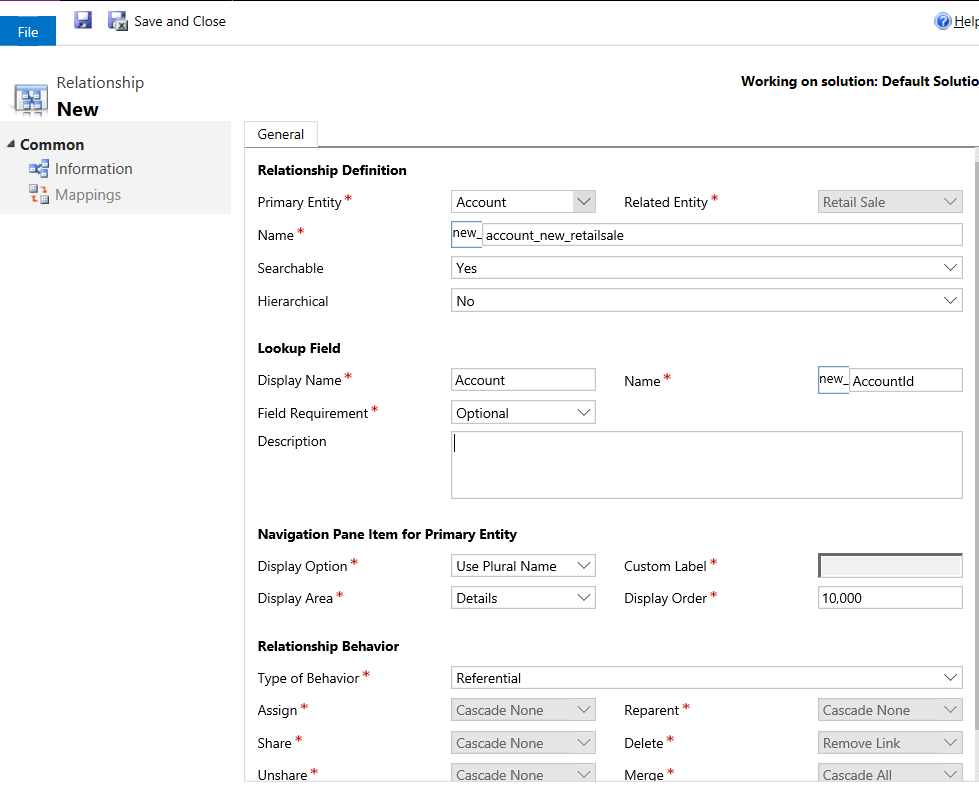
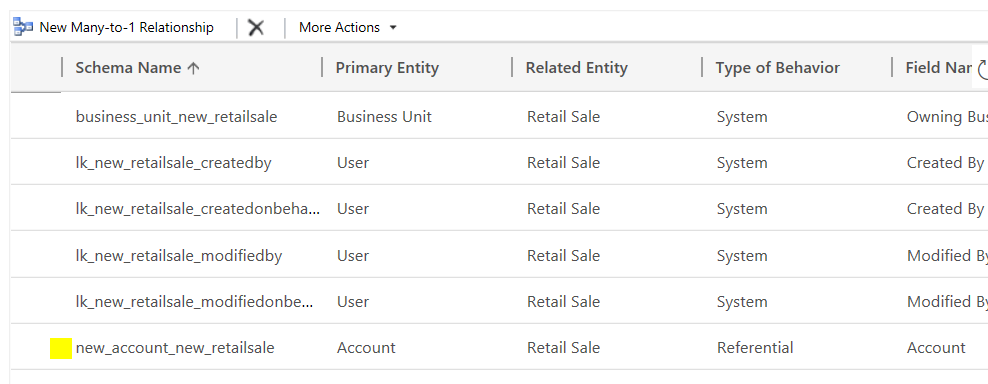
Created:
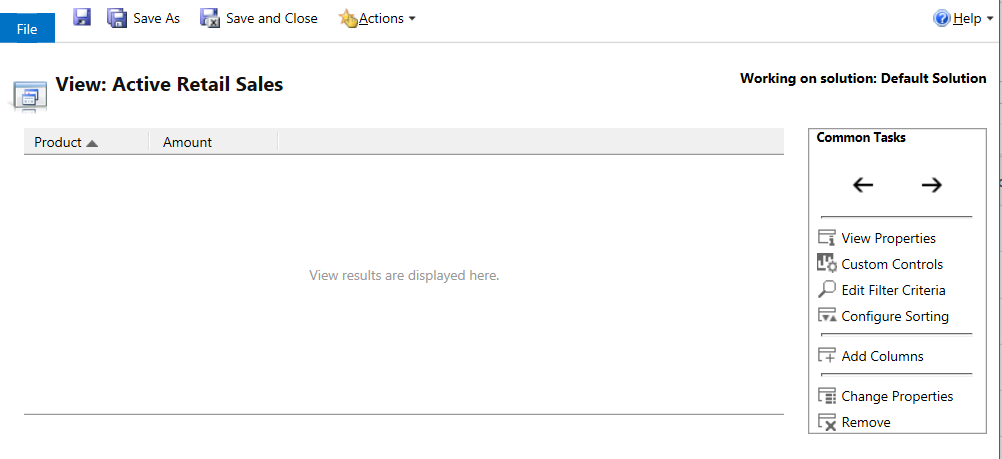
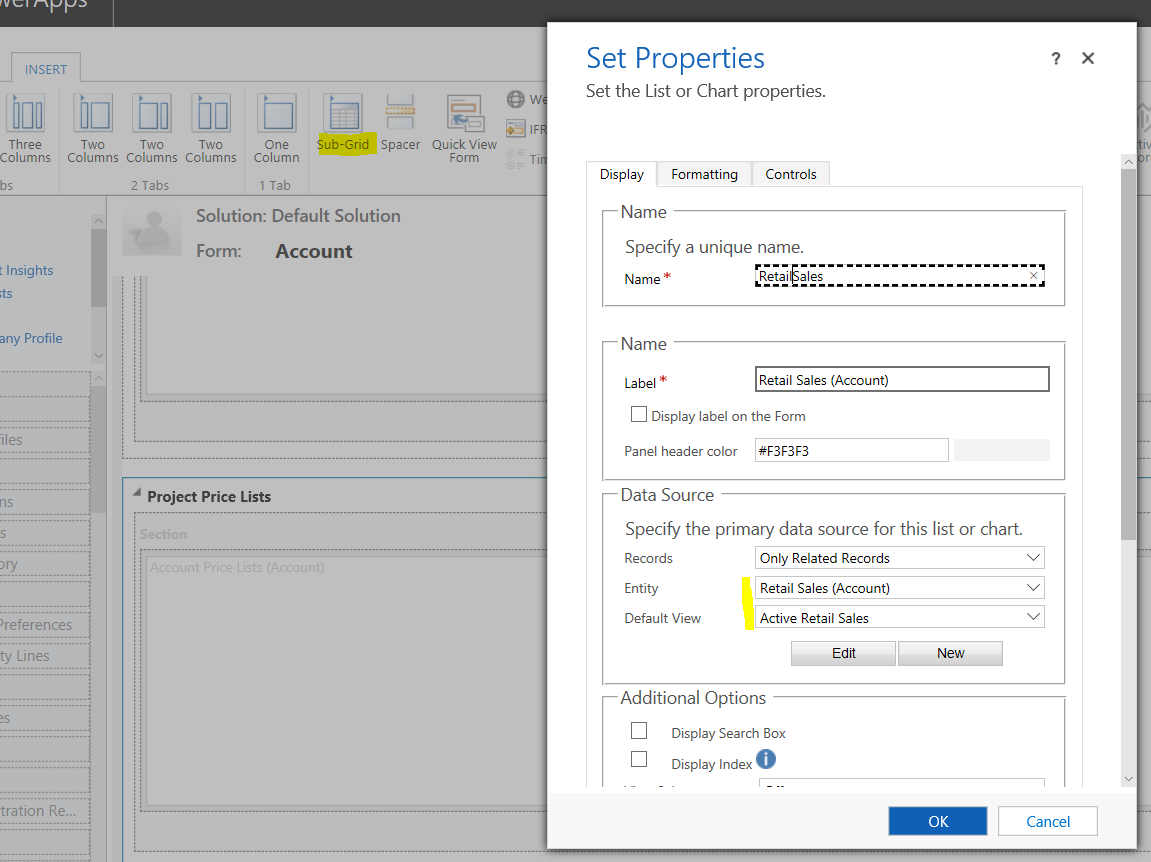
Now change the Active Retail Sales view to add these fields. We will use this view on an Account subgrid:

Next, to display this on the Account, edit the main Account form and add a subgrid to the form just created:
Add it to it’s own section:
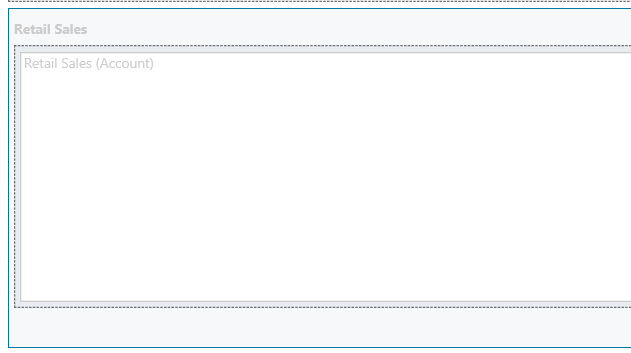
Publish all customizations.
Now we will integrate it with our 3rd party system.
Create a new plugin:
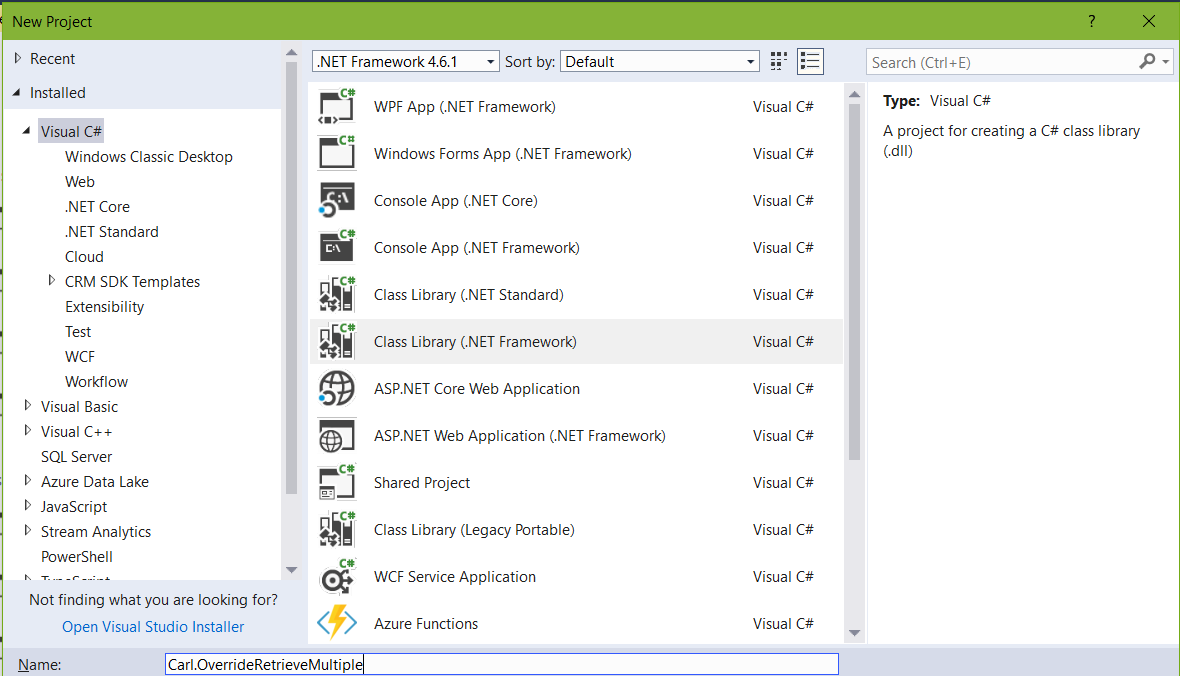
Add the NuGet references for Plugin, and add the code.
For the sake of this demo, we will fake a 3rd party connection rather than actually connecting to a system. We will create a list of type RetailSales, which includes retail sales records. Note in a real example we would look up the retail sales record using a unique key from the plugin context – here we will just “retrieve” all records.
We will then loop through our retrieved data, create a new Entity object of “new_retailsale” and add our records to an EntityCollection object. We then assign our context.OutputParameters[“BusinessEntityCollection”] to the EntityCollection object.
Here is the code:
[sourcecode language=”CSharp”] using System;using System.Collections.Generic;
using System.Linq;
using System.Text;
using System.Threading.Tasks;
using Microsoft.Xrm.Sdk;
namespace Carl.OverrideRetrieveMultiple
{
public class GetRetailSales : IPlugin
{
public void Execute(IServiceProvider serviceProvider)
{
// Here we will simulate connecting to a 3rd party environment
#region simulate3rdparty
// Create a list of Retail Sales that would exist in a database in another system
var retailSales = new List<RetailSale>();
var retailSales1 = new RetailSale
{
Product = "Product1",
Amount = 1
};
var retailSales2 = new RetailSale
{
Product = "Product2",
Amount = 5
};
var retailSales3 = new RetailSale
{
Product = "Product3",
Amount = 10
};
retailSales.Add(retailSales1);
retailSales.Add(retailSales2);
retailSales.Add(retailSales3);
#endregion
// Plugin Code
IPluginExecutionContext context = (IPluginExecutionContext)serviceProvider.GetService(typeof(IPluginExecutionContext));
EntityCollection entityCollection = new EntityCollection();
entityCollection.EntityName = "new_retailsale";
foreach (var retailSale in retailSales)
{
Entity crmRetailSale = new Entity("new_retailsale");
crmRetailSale.Attributes.Add("new_product", retailSale.Product);
crmRetailSale.Attributes.Add("new_amount", retailSale.Amount);
entityCollection.Entities.Add(crmRetailSale);
}
context.OutputParameters["BusinessEntityCollection"] = entityCollection;
}
}
public class RetailSale
{
public string Product { get; set; }
public Int32 Amount { get; set; }
}
}
[/sourcecode]
Now, open Dynamics 365 and navigate to an account record.
We will see the 3 records have been “pulled from a 3rd party system” and displayed by overriding the RetrieveMultiple of the Retail Sales entity:
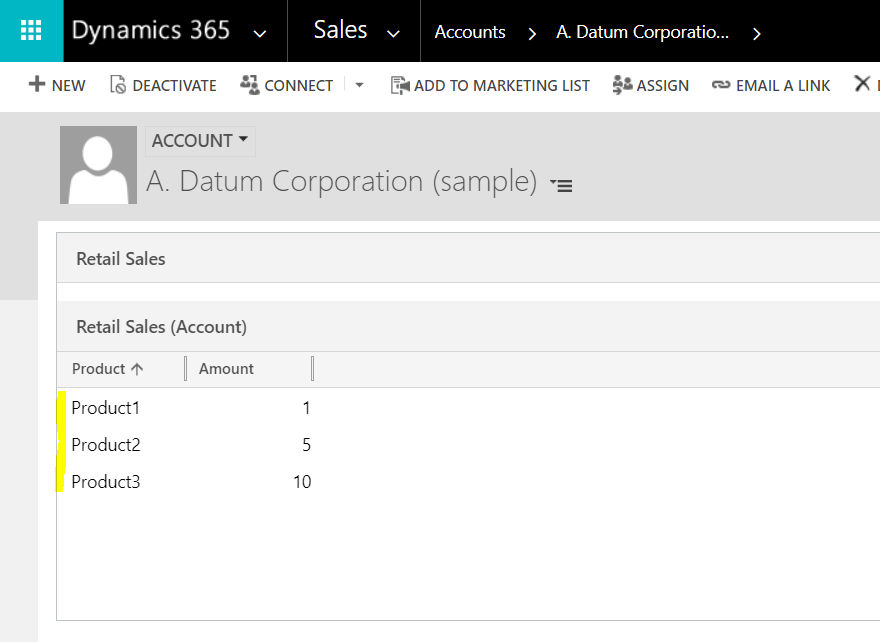
Note, if you select one of these records, it will open the new entity record but not populate it.
Note also, the RetrieveMultiple plugin runs regardless of it having no data originally.
I AM SPENDING MORE TIME THESE DAYS CREATING YOUTUBE VIDEOS TO HELP PEOPLE LEARN THE MICROSOFT POWER PLATFORM.
IF YOU WOULD LIKE TO SEE HOW I BUILD APPS, OR FIND SOMETHING USEFUL READING MY BLOG, I WOULD REALLY APPRECIATE YOU SUBSCRIBING TO MY YOUTUBE CHANNEL.
THANK YOU, AND LET'S KEEP LEARNING TOGETHER.
CARL

Have You tested this with Unified Client ?
I keep getting problems..
Hi Per, do you have a primary id attribute in your collection? See if adding that solves the problem. Looks like Unified Client behaves a little differently.
Hi Carl,
I have the tested in unified client. it is showing the top record only not all the records in the grid.
Hi Carl/Dhandapani
I also only having 1 record displaying. Have you perhaps resolved the issue?
Hi
Did you solve the problem?
I have the same issue in unified Interface
thanks!