Editable grids are a feature of Dynamics 365. Let’s go through how to enable and use them.
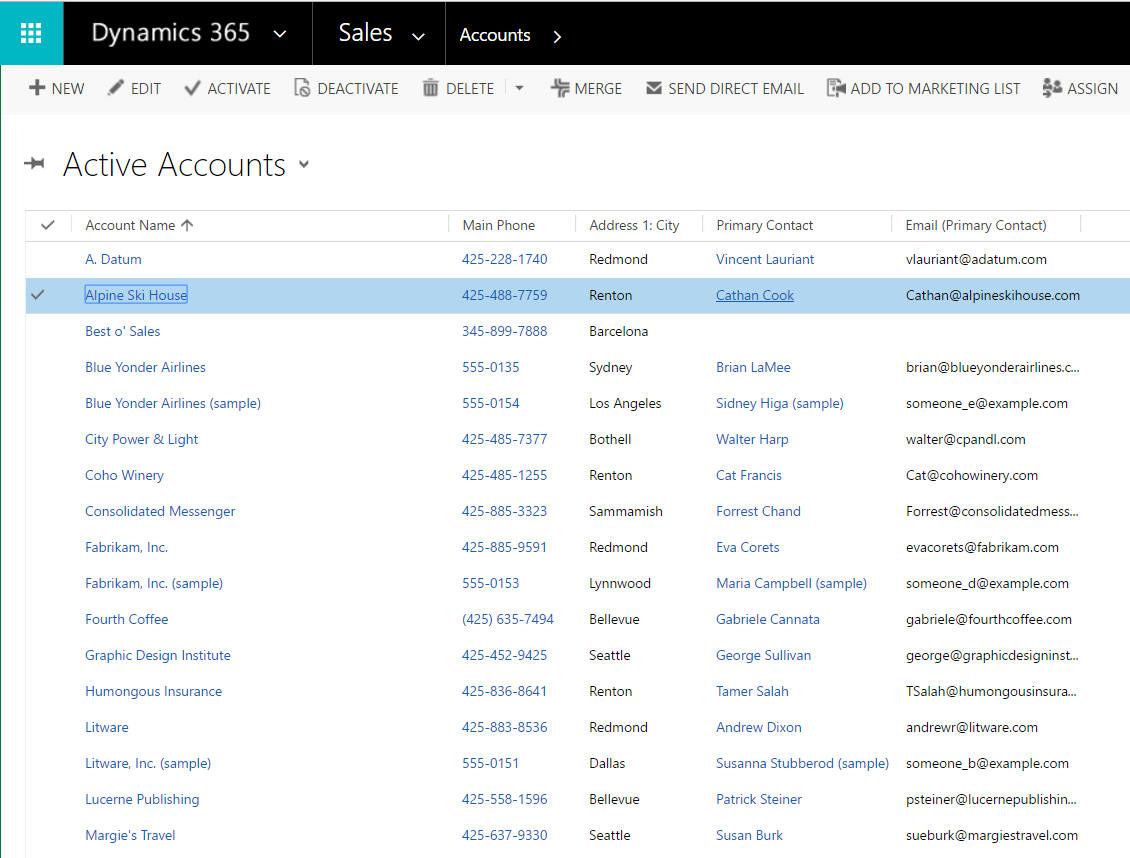
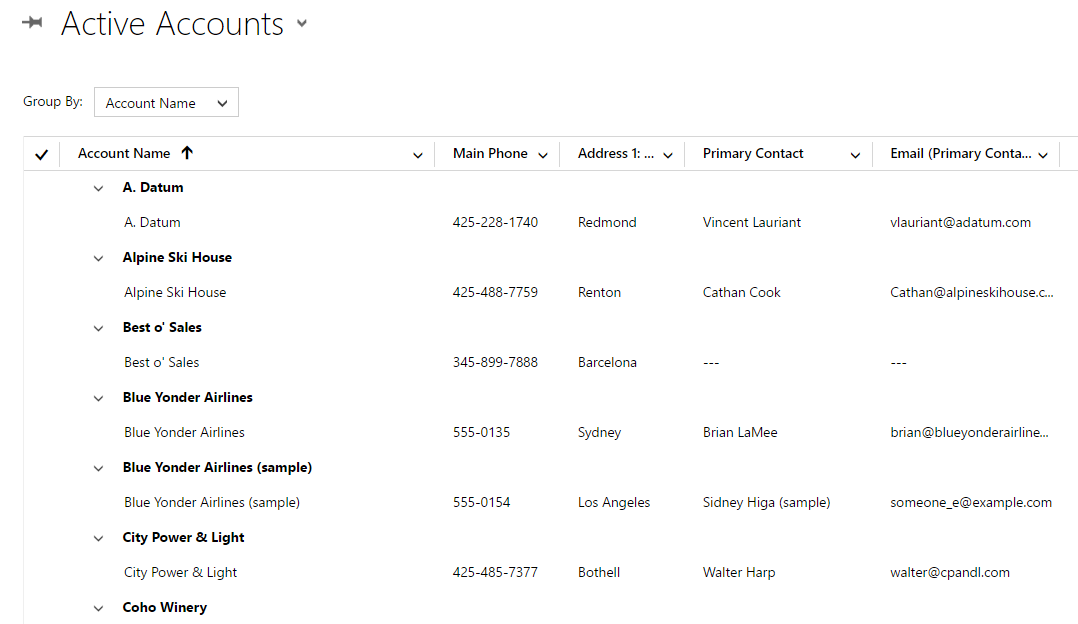
First, let’s look at how the current grids work. You can see for Active accounts, we have a list that is not editable if you click on the grid.
We will customize the Account entity to enable editable grids.
Create a new solution and add Account to it:
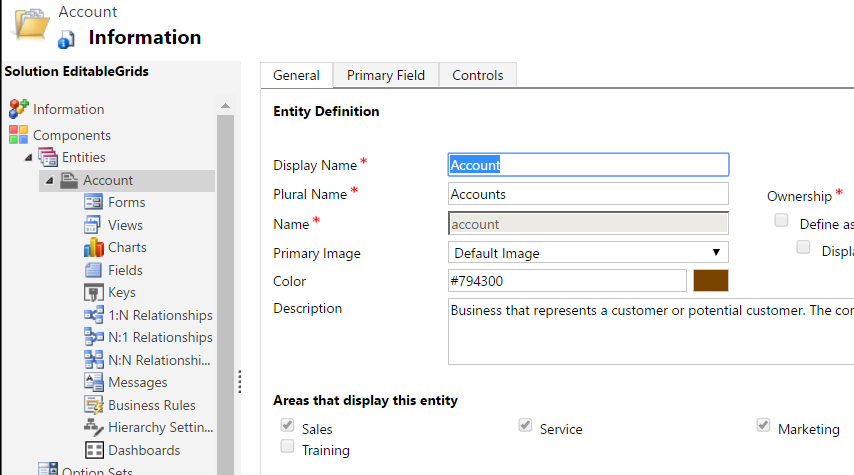
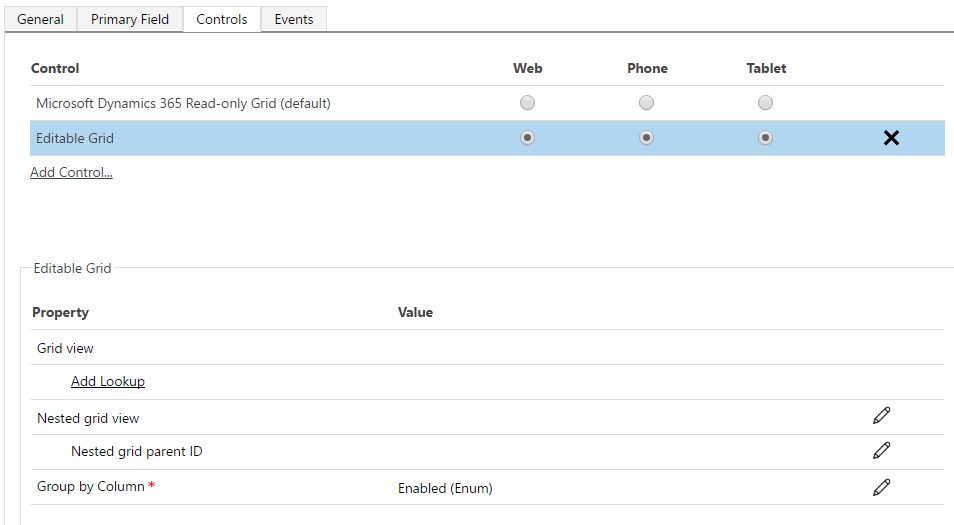
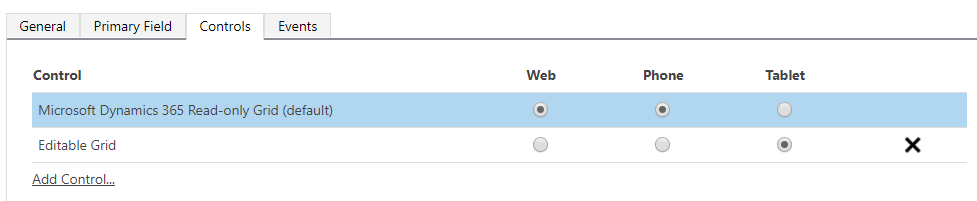
Select the Controls tab and you will see it is set to read-only:
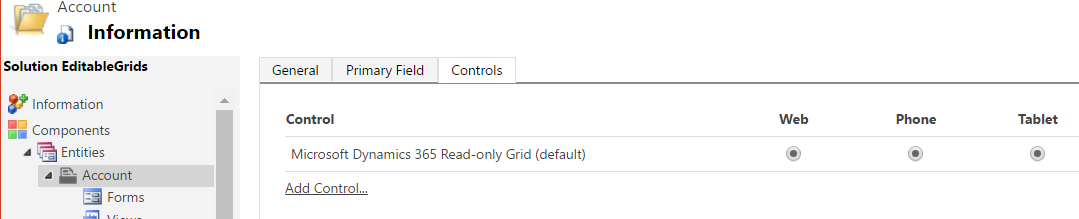
Click Add Control and select Editable Grid:
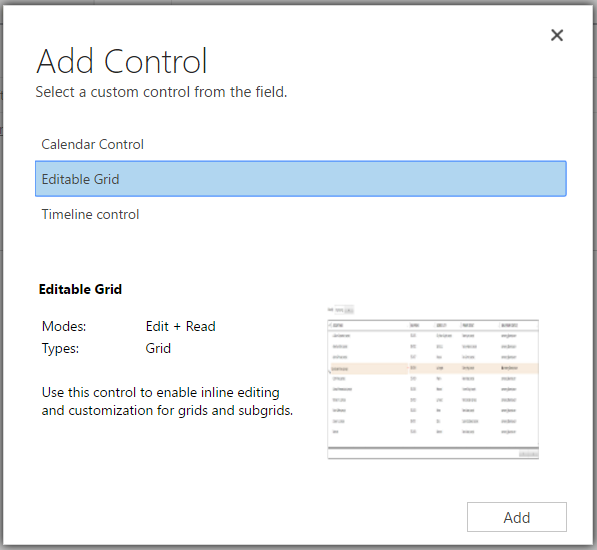
Set Account to use this new editable grid:
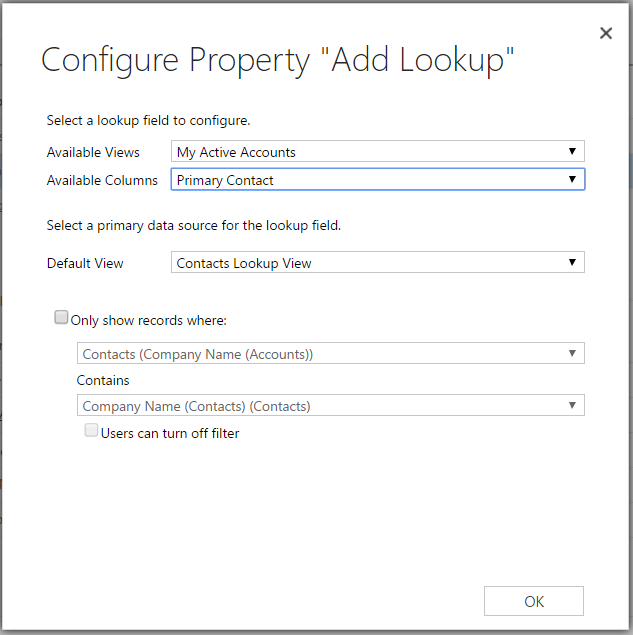
Click Add a Lookup:
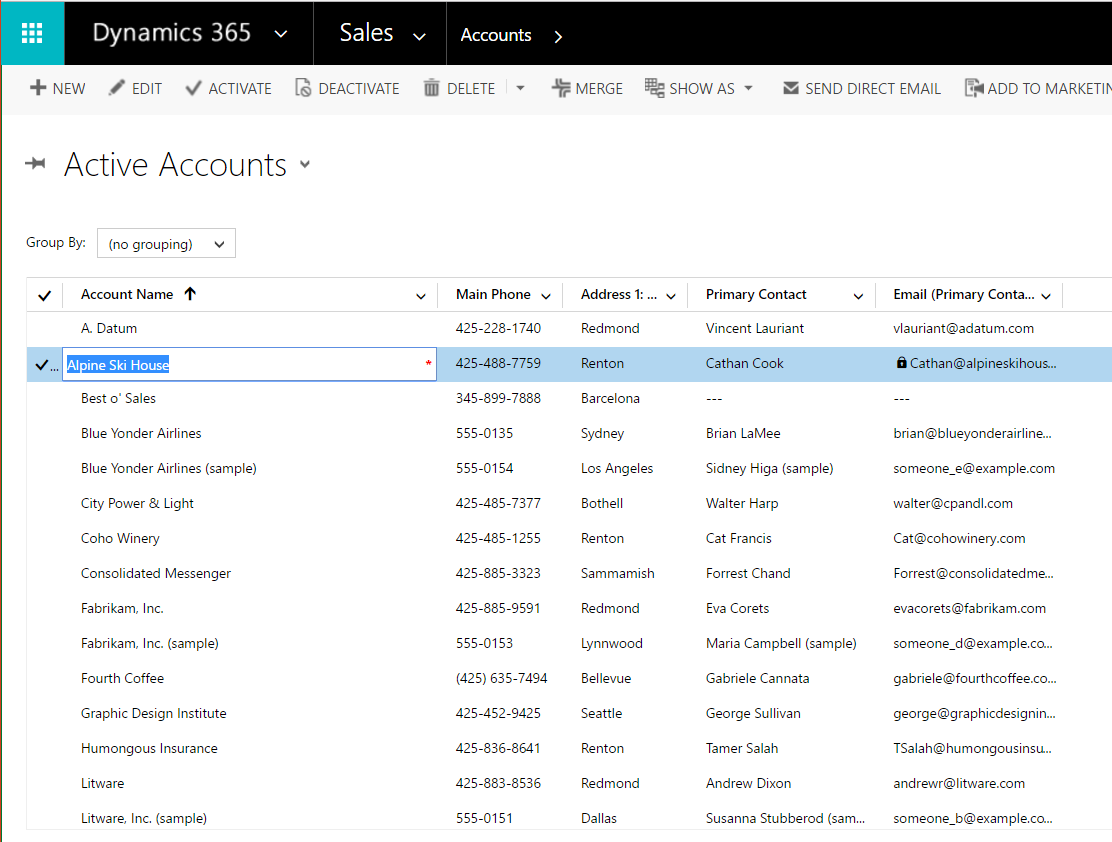
Now go back to CRM. You will see Editable Grids have been enabled:
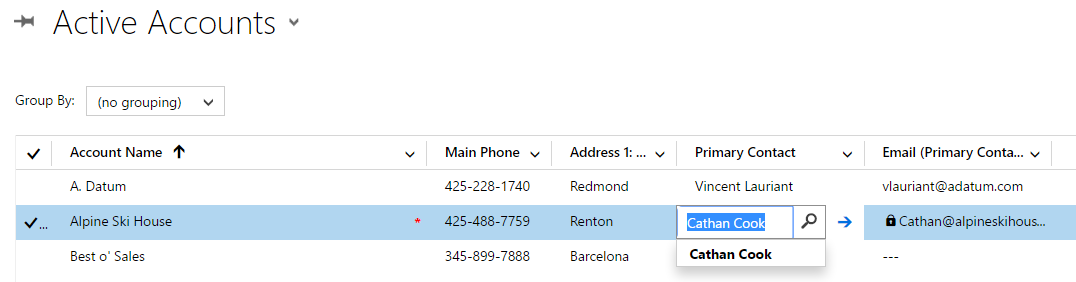
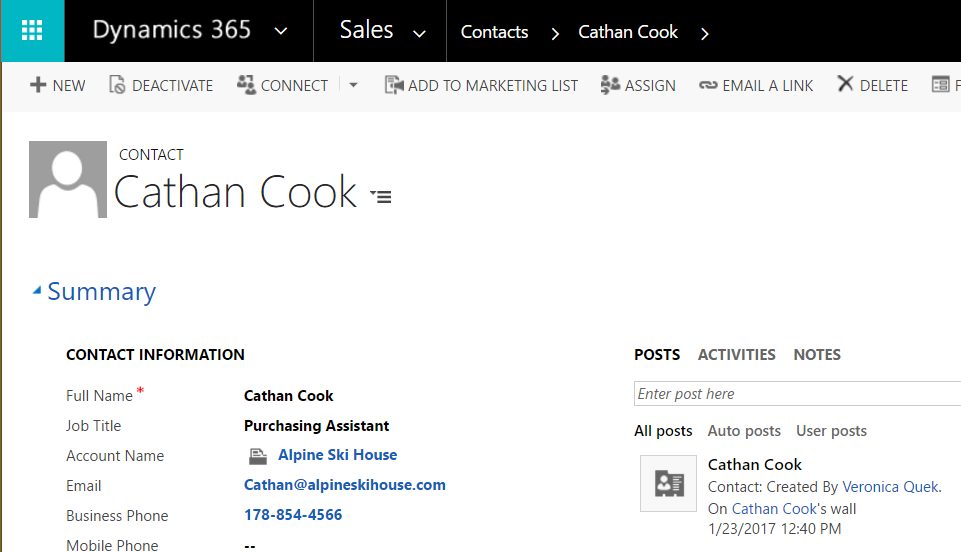
Clicking the arrow opens the record:
You can also change the grouping of the view:
Note you have the option to determine which grid to display per device, whether it is web, phone or tablet:
I AM SPENDING MORE TIME THESE DAYS CREATING YOUTUBE VIDEOS TO HELP PEOPLE LEARN THE MICROSOFT POWER PLATFORM.
IF YOU WOULD LIKE TO SEE HOW I BUILD APPS, OR FIND SOMETHING USEFUL READING MY BLOG, I WOULD REALLY APPRECIATE YOU SUBSCRIBING TO MY YOUTUBE CHANNEL.
THANK YOU, AND LET'S KEEP LEARNING TOGETHER.
CARL



