As per the Event Execution Pipeline for plugins in Dynamics 365, here we will look at a pre-operation plugin.
These plugins execute before the main system operation and within the database transaction. They run after the pre-validation has occurred. This is used for modifying/updating any attributes (note you can also technically do this in pre-validation). If you are creating a record, as the record is not created at this point, you will not have a record GUID (that is where post-operation comes in).
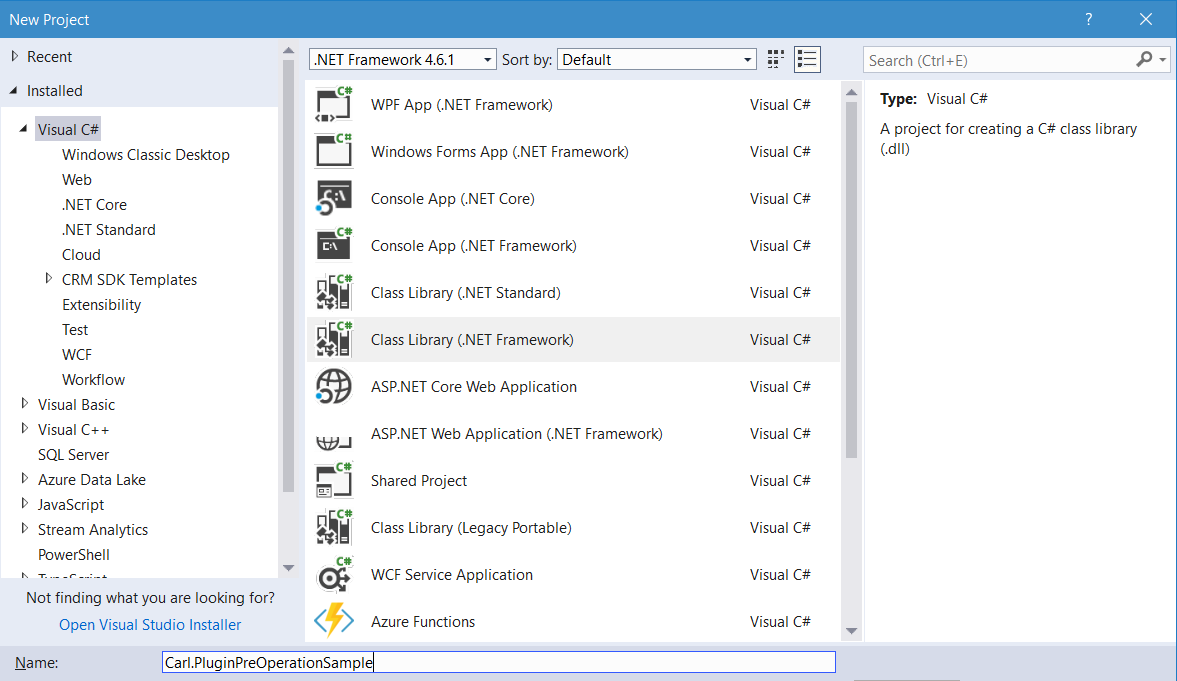
Create a new class library in Visual Studio:
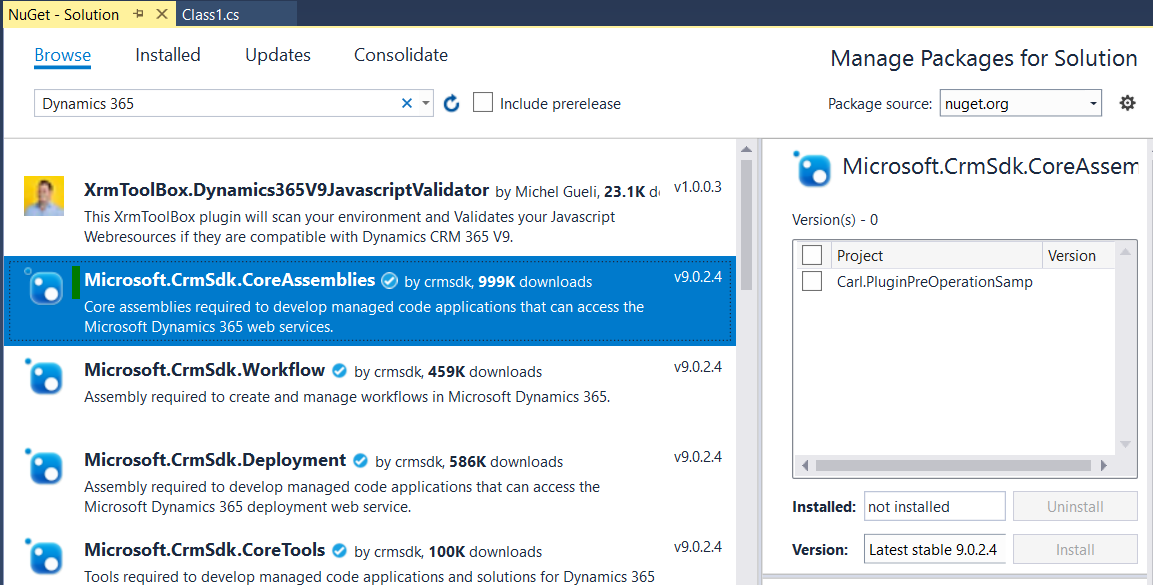
Add Microsoft.CrmSdk.CoreAssemblies through NuGet:
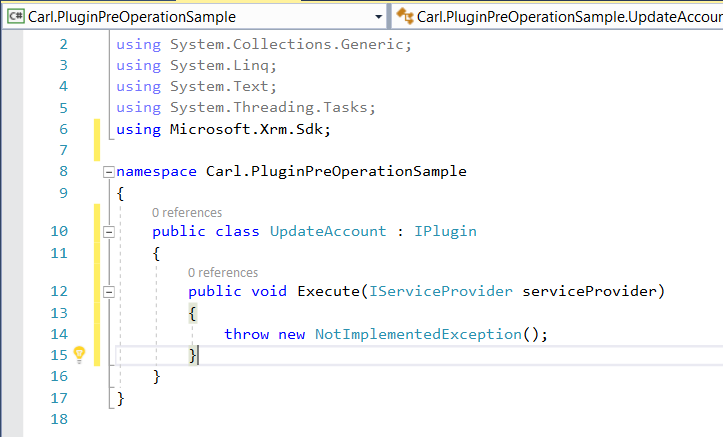
Add IPlugin with Execute method:
Add the code. In this example, we will update the Ticker Symbol field of the account. When a ticker symbol is entered, we will user what the user entered and change it to NYSE: <user entered ticker symbol>, just for the demo.
You can use get and set the attributes in two ways. Way 1:
// Get the current attribute value
var tickersymbol = entity["tickersymbol"].ToString();

// Update the attribute
entity["tickersymbol"] = "NYSE: " + tickersymbol;
Or way 2:
// Get the current attribute value
var tickersymbol = entity.Attributes["tickersymbol"].ToString();

// Update the attribute
entity.Attributes["tickersymbol"] = "NYSE2: " + tickersymbol;
Full code:
[sourcecode language=”CSharp”] using System;using System.Collections.Generic;
using System.Linq;
using System.Text;
using System.Threading.Tasks;
using Microsoft.Xrm.Sdk;
namespace Carl.PluginPreOperationSample
{
public class UpdateAccount : IPlugin
{
public void Execute(IServiceProvider serviceProvider)
{
try
{
IPluginExecutionContext context = (IPluginExecutionContext)serviceProvider.GetService(typeof(IPluginExecutionContext));
if (context.InputParameters.Contains("Target") &amp;&amp; context.InputParameters["Target"] is Entity)
{
Entity entity = (Entity)context.InputParameters["Target"];
if (entity.LogicalName == "account")
{
if (entity.Attributes.Contains("tickersymbol") == true)
{
// Get the current attribute value
var tickersymbol = entity["tickersymbol"].ToString();
// Update the attribute
entity["tickersymbol"] = "NYSE: " + tickersymbol;
}
}
}
}
catch (InvalidPluginExecutionException e)
{
// catch exception
throw new InvalidPluginExecutionException("An error has occurred: " + e.Message);
}
}
}
}
[/sourcecode]
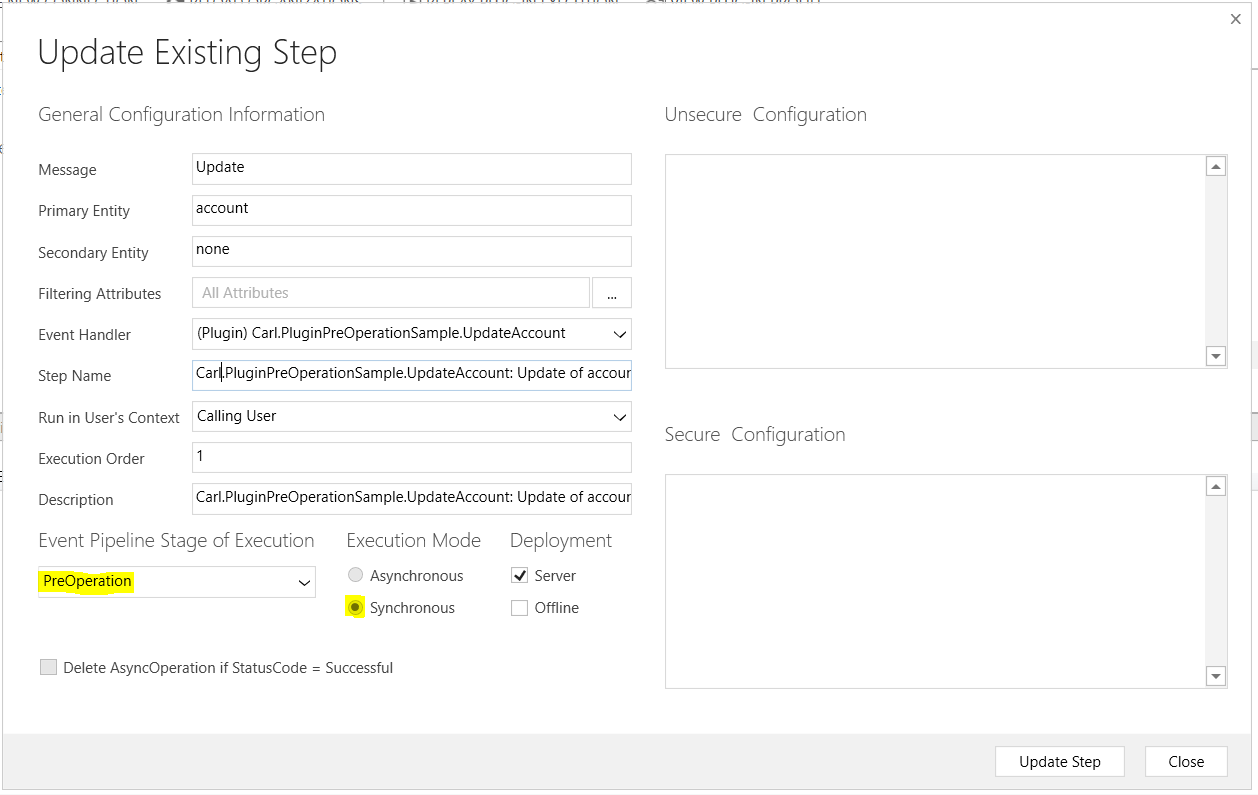
Register the plugin. Note this needs to be Synchronous and it cannot be async as it is PreOperation:
Running this, if we enter a ticker symbol and save the record, it will update based on the code:
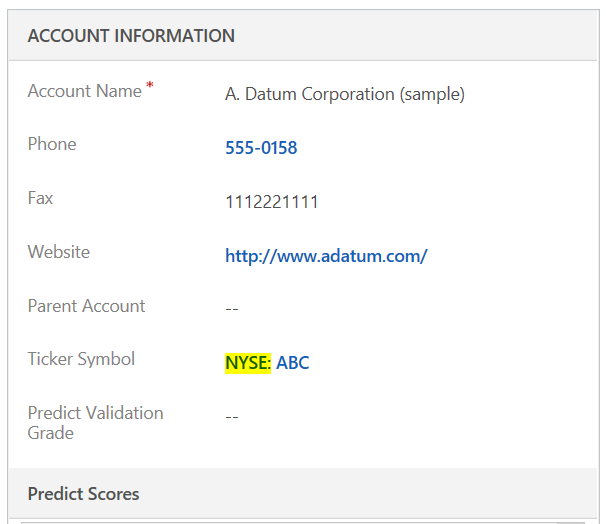
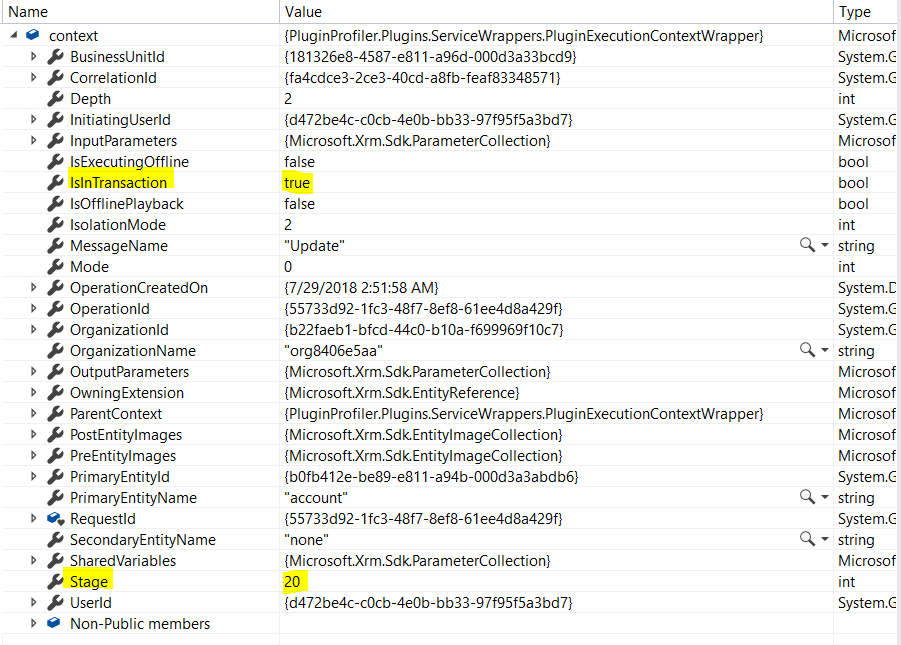
Debugging this, we can see we are in stage 20 (pre-operation), inside a transaction (IsInTransaction=true):
I AM SPENDING MORE TIME THESE DAYS CREATING YOUTUBE VIDEOS TO HELP PEOPLE LEARN THE MICROSOFT POWER PLATFORM.
IF YOU WOULD LIKE TO SEE HOW I BUILD APPS, OR FIND SOMETHING USEFUL READING MY BLOG, I WOULD REALLY APPRECIATE YOU SUBSCRIBING TO MY YOUTUBE CHANNEL.
THANK YOU, AND LET'S KEEP LEARNING TOGETHER.
CARL

[…] Pre-operation […]
[…] occurs. You can also modify values at this stage, though this may be generally done in pre-operation. If you are creating a record, as the record is not created at this point, you will not have a […]
In an interview, I was asked to give example of a scenario where a plugin can run in the pre-operation step only. I could not think of any. Can you please help me with this ?