Here we will go through closing an opportunity in Dynamics 365. First we will create an opportunity. To do this, go to Sales->Opportunities:
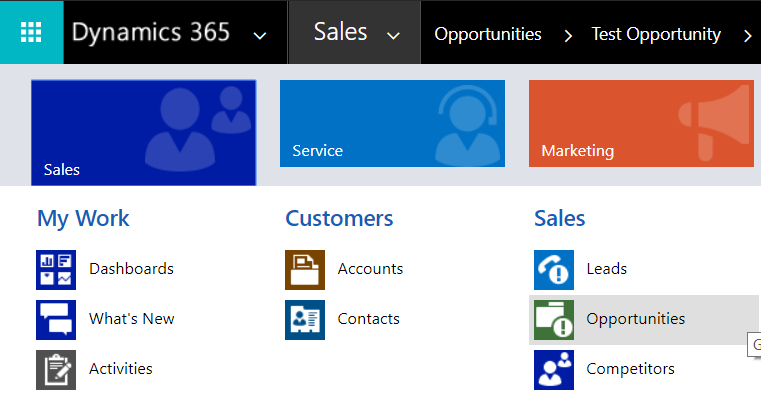
This will open the opportunities:
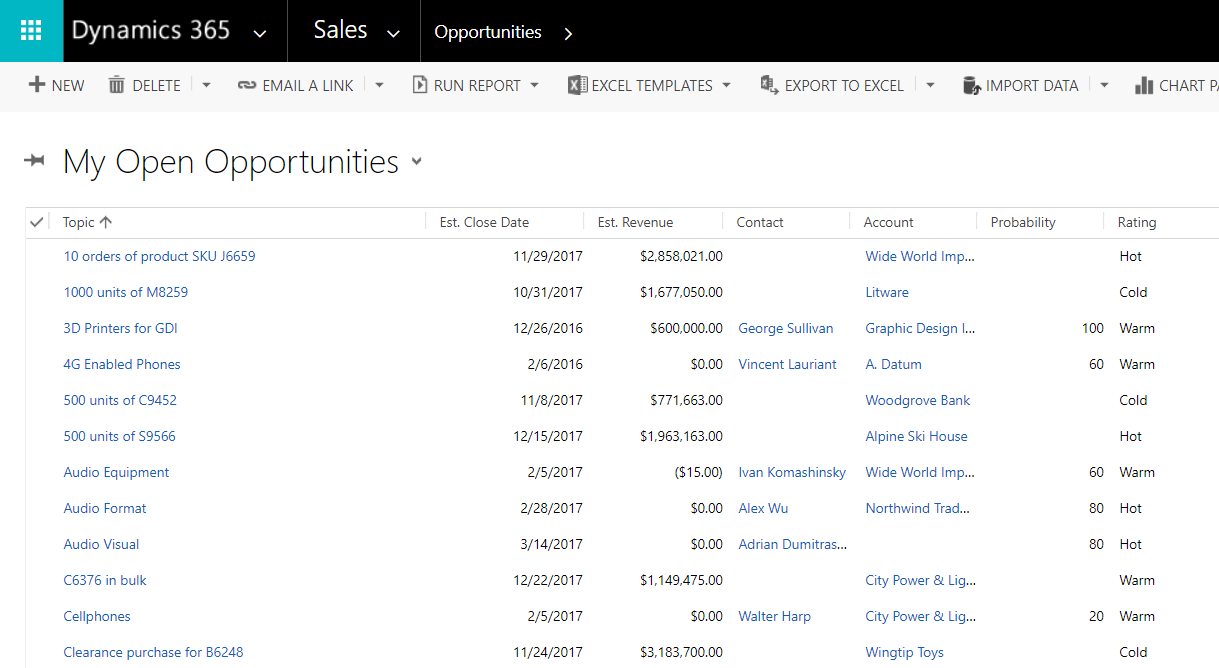
Select New to create a new opportunity:
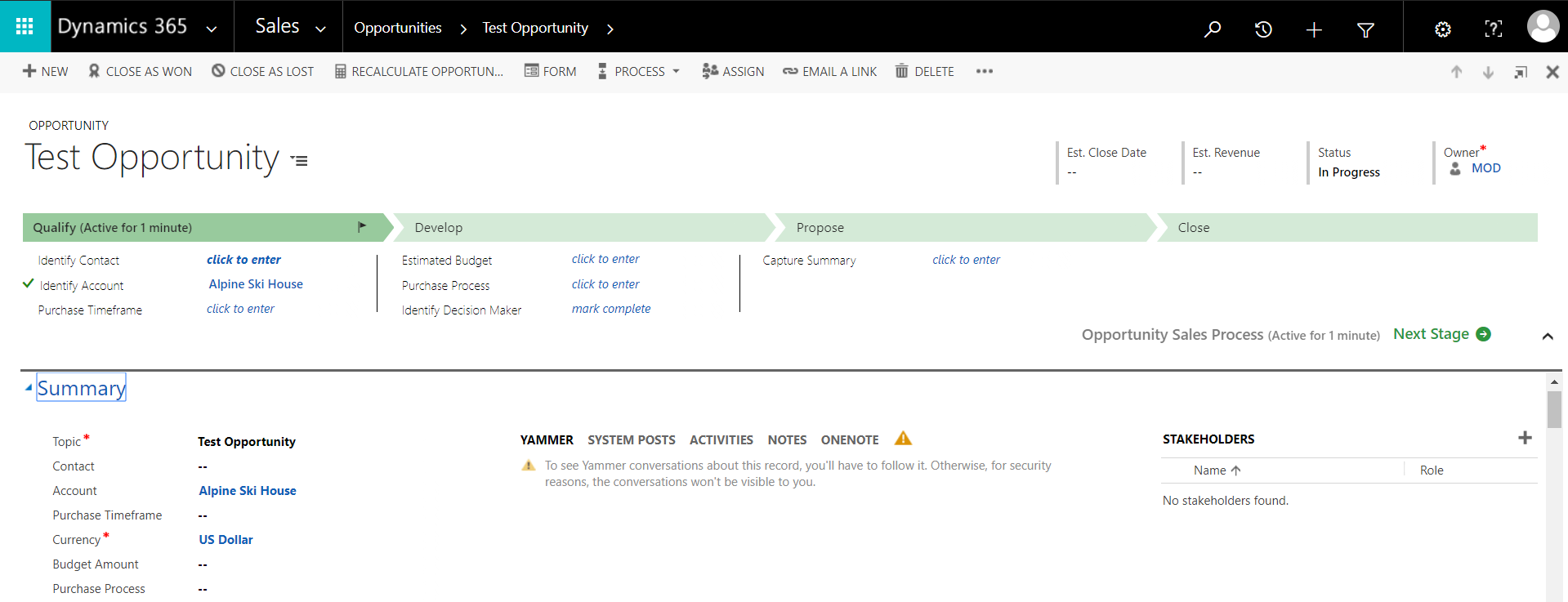
Enter new products:

Notice the options for Close as Won and Close as Lost.

Clicking Close as Lost, we see:
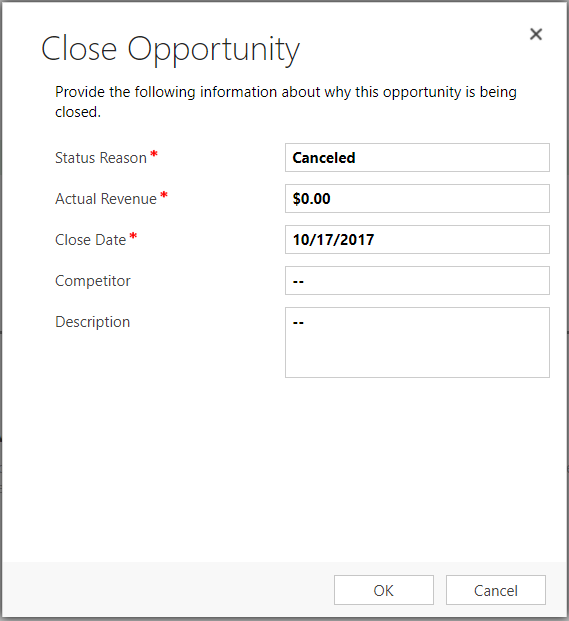
The status reason has the options:

We can also select the actual revenue and competitor.
Closed as Won produces the following:
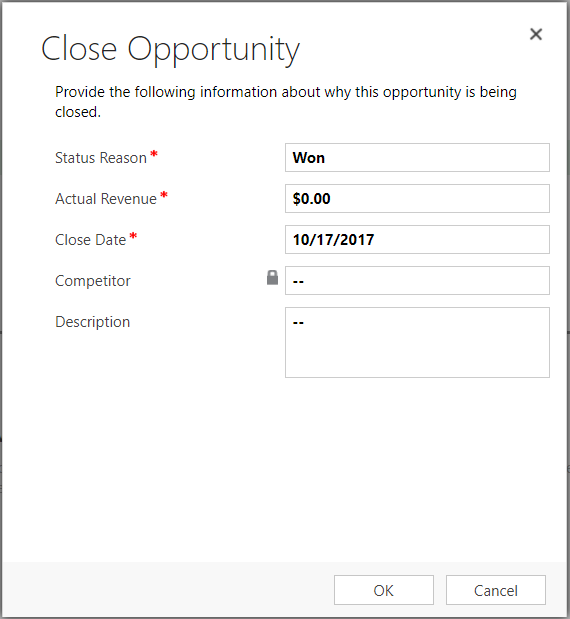
There is no option to change the status. The competitor field here is not editable.
Note the statuses for the opportunity and the opportunity close entity:
| State | Status Reason |
|---|---|
| 0 : Open | 1 : In Progress |
| 2 : On Hold | |
| 1 : Won | 3 : Won |
| 2 : Lost | 4 : Canceled |
| 5 : Out-Sold |
| State | Status Reason |
|---|---|
| 0 : Open | 1 : Open |
| 1 : Completed | 2 : Completed |
| 2 : Canceled | 3 : Canceled |
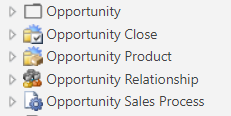
Note in customizations, these entities are separate:

Explore AI, agents & Microsoft technology.
I share practical ideas, tutorials, and videos about AI, AI agents, Microsoft technologies, and the Power Platform.
Subscribe on YouTube →